Note
Go to the end to download the full example code.
Raincloud Plot Examples#
This example demonstrates raincloud plot functionality in PubliPlots, which combines violin plots (clouds), box plots (umbrellas), and strip/swarm plots (rain) to show both distribution shapes and individual data points.
Examples#
import publiplots as pp
import pandas as pd
import numpy as np
Simple Raincloud Plot#
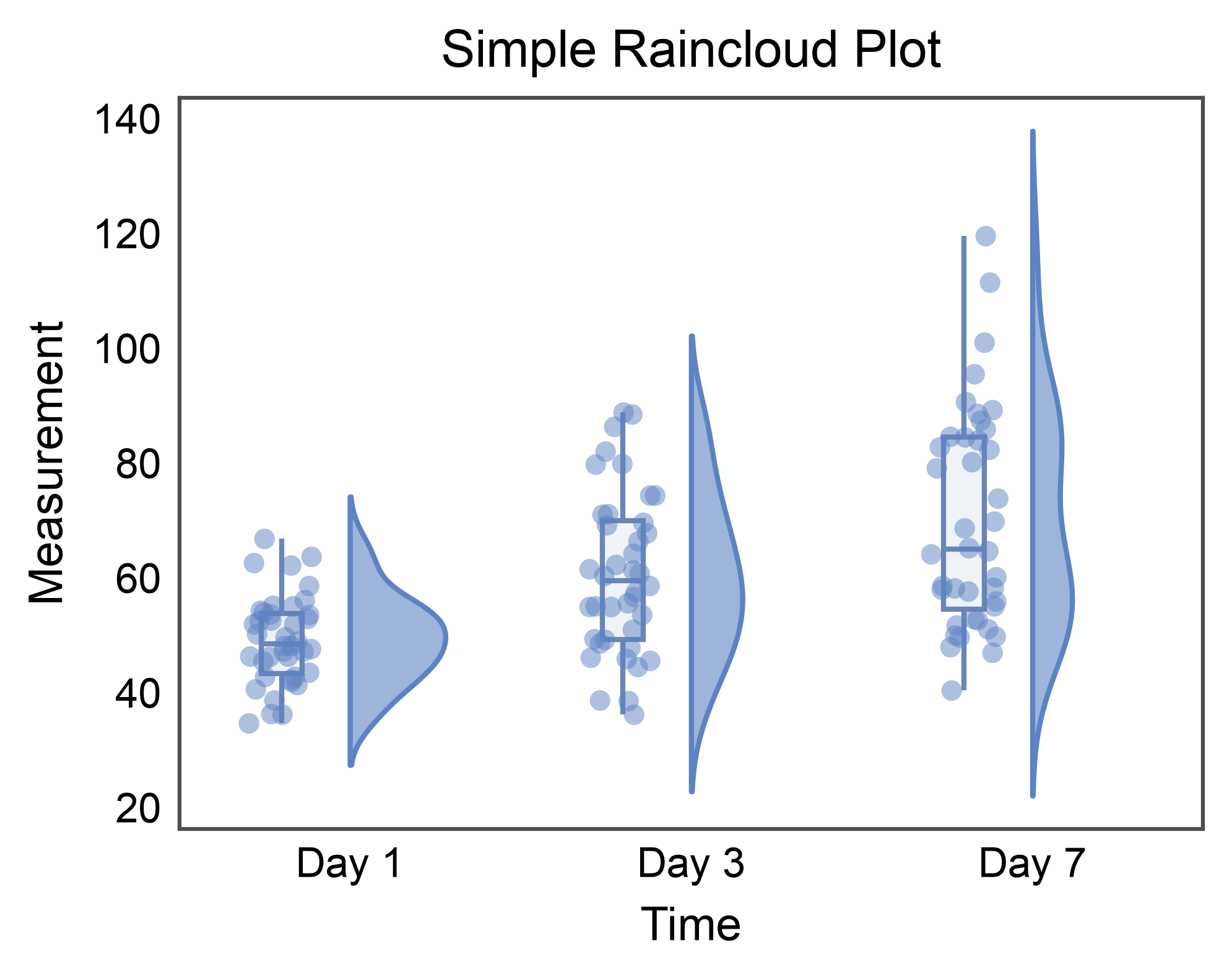
Basic raincloud plot showing distribution by category.
# Create sample data
np.random.seed(42)
raincloud_data = pd.DataFrame({
    'time': np.repeat(['Day 1', 'Day 3', 'Day 7'], 40),
    'group': np.tile(np.repeat(['Control', 'Treated'], 20), 3),
    'measurement': np.concatenate([
        np.random.normal(50, 8, 20), np.random.normal(52, 8, 20),
        np.random.normal(52, 9, 20), np.random.normal(70, 12, 20),
        np.random.normal(55, 10, 20), np.random.normal(85, 14, 20),
    ])
})


# Create simple raincloud plot
ax = pp.raincloudplot(
    data=raincloud_data,
    x='time',
    y='measurement',
    title='Simple Raincloud Plot',
    xlabel='Time',
    ylabel='Measurement',
    cloud_alpha=0.6,
)
pp.show()
Raincloud Plot with Hue Grouping (Vertical)#
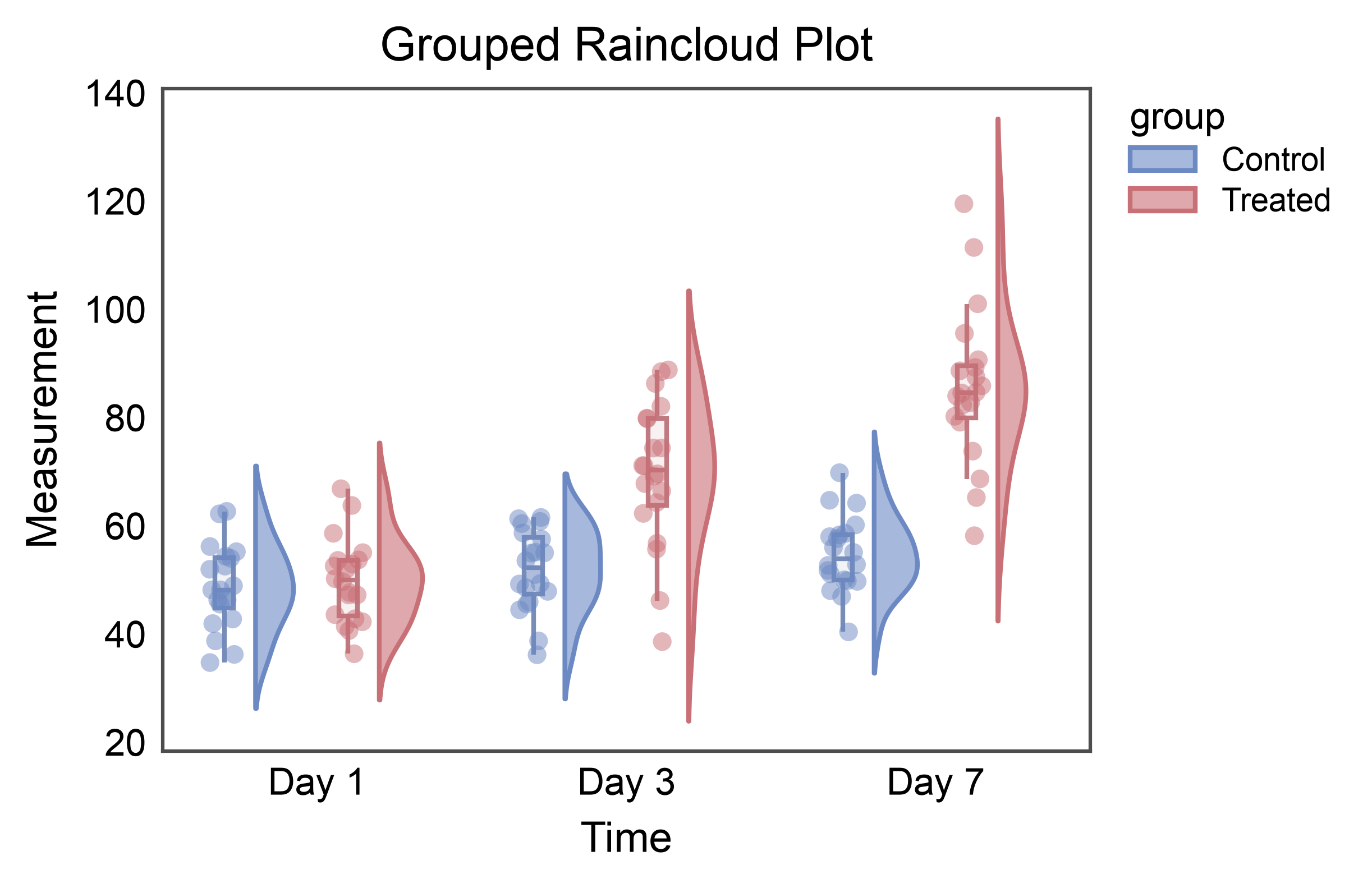
Use the hue parameter to create grouped raincloud plots.
# Create grouped raincloud plot
ax = pp.raincloudplot(
    data=raincloud_data,
    x='time',
    y='measurement',
    hue='group',
    title='Grouped Raincloud Plot',
    xlabel='Time',
    ylabel='Measurement',
    cloud_alpha=0.6,
    palette="RdGyBu_r",
    box_offset=0.1,
    rain_offset=0.1,
)
pp.show()
Horizontal Raincloud Plot with Hue#
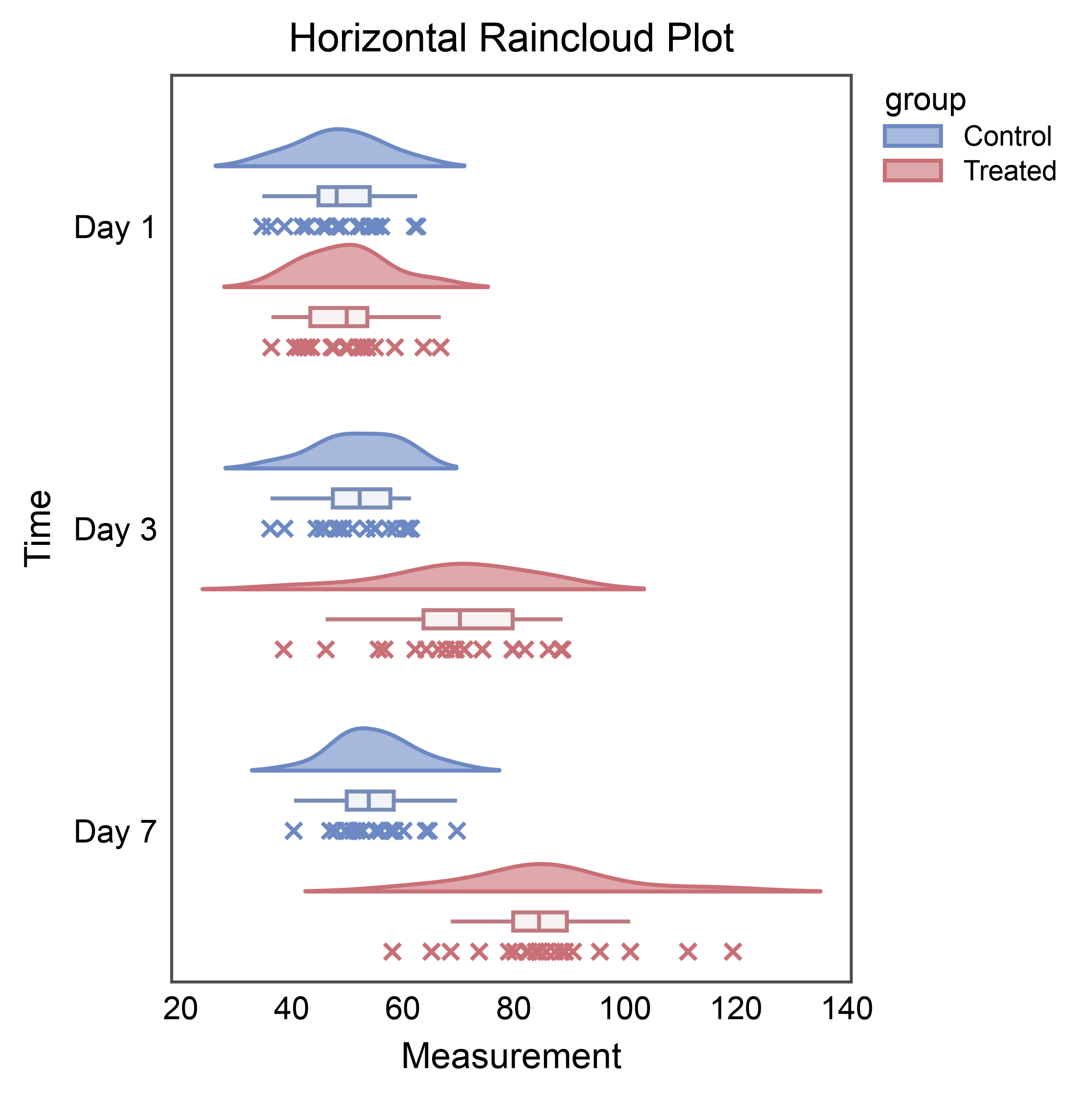
Create horizontal raincloud plots by swapping x and y.
# Horizontal raincloud needs a tall axes area; compose with pp.subplots
# instead of passing figsize=.
fig, ax = pp.subplots(axes_size=(60, 80))
pp.raincloudplot(
    data=raincloud_data,
    x='measurement',
    y='time',
    hue='group',
    cloud_side="left",
    title='Horizontal Raincloud Plot',
    xlabel='Measurement',
    ylabel='Time',
    cloud_alpha=0.6,
    palette="RdGyBu_r",
    box_offset=0.1,
    rain_offset=0.2,
    rain_kws=dict(
        linewidth=1,
        alpha=0.5,
        jitter=False,
        marker="x"
    ),
    ax=ax,
)
pp.show()
Customization#
Raincloud Plot Without Box#
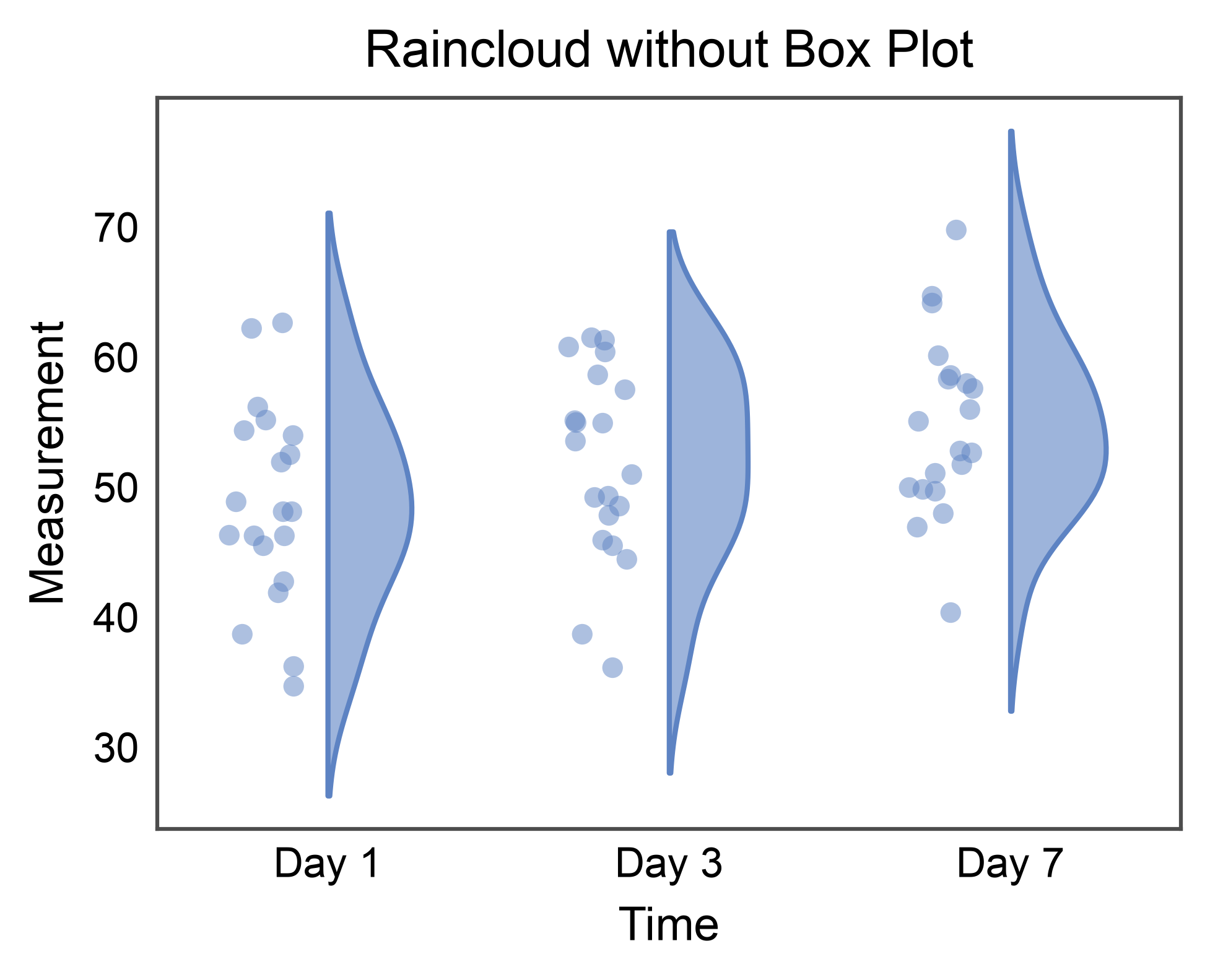
Create raincloud plot with only cloud and rain elements.
ax = pp.raincloudplot(
    data=raincloud_data[raincloud_data['group'] == 'Control'],
    x='time',
    y='measurement',
    box=False,
    title='Raincloud without Box Plot',
    xlabel='Time',
    ylabel='Measurement',
    cloud_alpha=0.6,
)
pp.show()
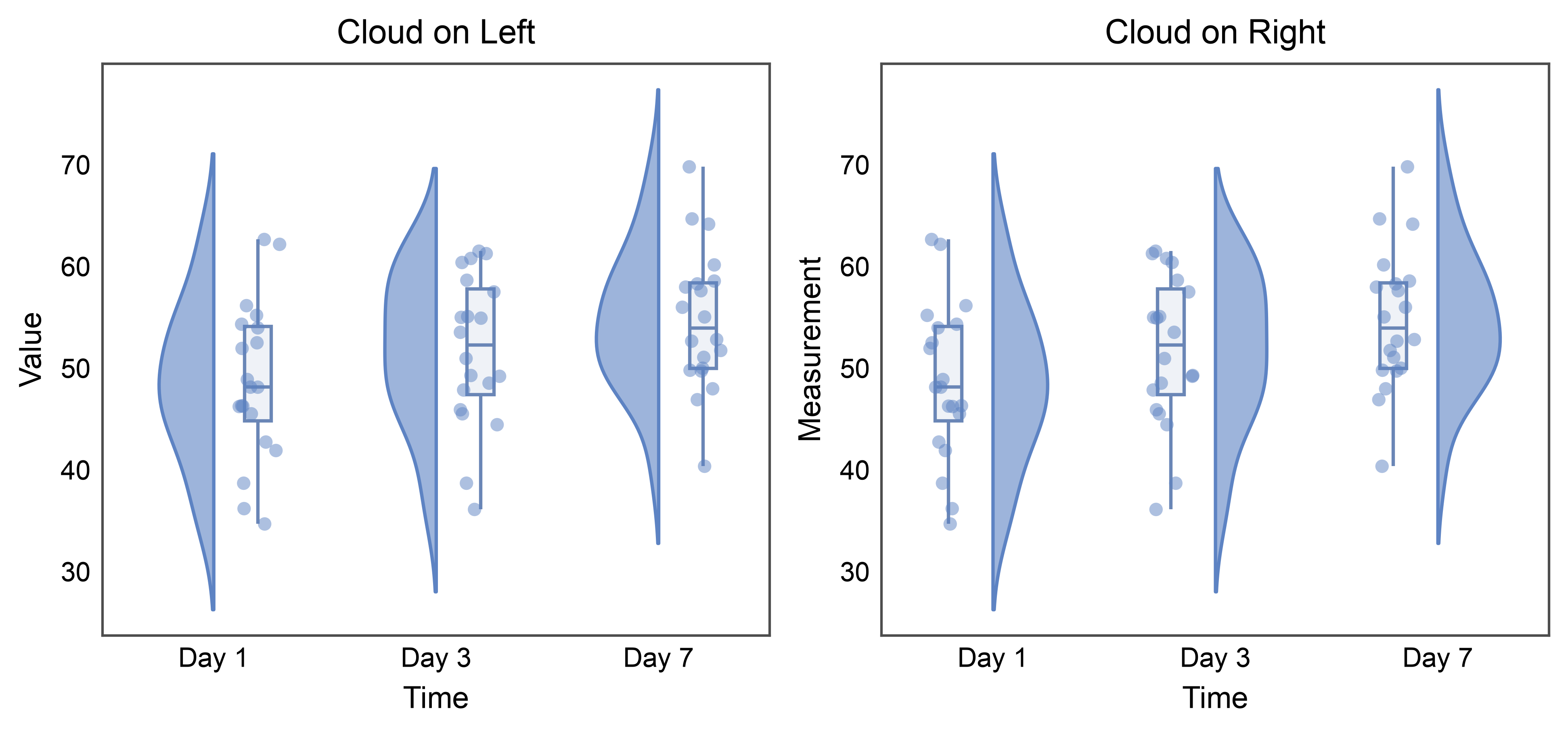
Raincloud Plot with Custom Cloud Side#
Control which side the cloud appears on.
fig, axes = pp.subplots(1, 2, axes_size=(70, 60))

# Cloud on the left
pp.raincloudplot(
    data=raincloud_data[raincloud_data['group'] == 'Control'],
    x='time',
    y='measurement',
    cloud_side='left',
    ax=axes[0],
    title='Cloud on Left',
    xlabel='Time',
    ylabel='Value',
    cloud_alpha=0.6,
)

# Cloud on the right (default)
pp.raincloudplot(
    data=raincloud_data[raincloud_data['group'] == 'Control'],
    x='time',
    y='measurement',
    cloud_side='right',
    ax=axes[1],
    title='Cloud on Right',
    xlabel='Time',
    ylabel='Measurement',
    cloud_alpha=0.6,
)

pp.show()
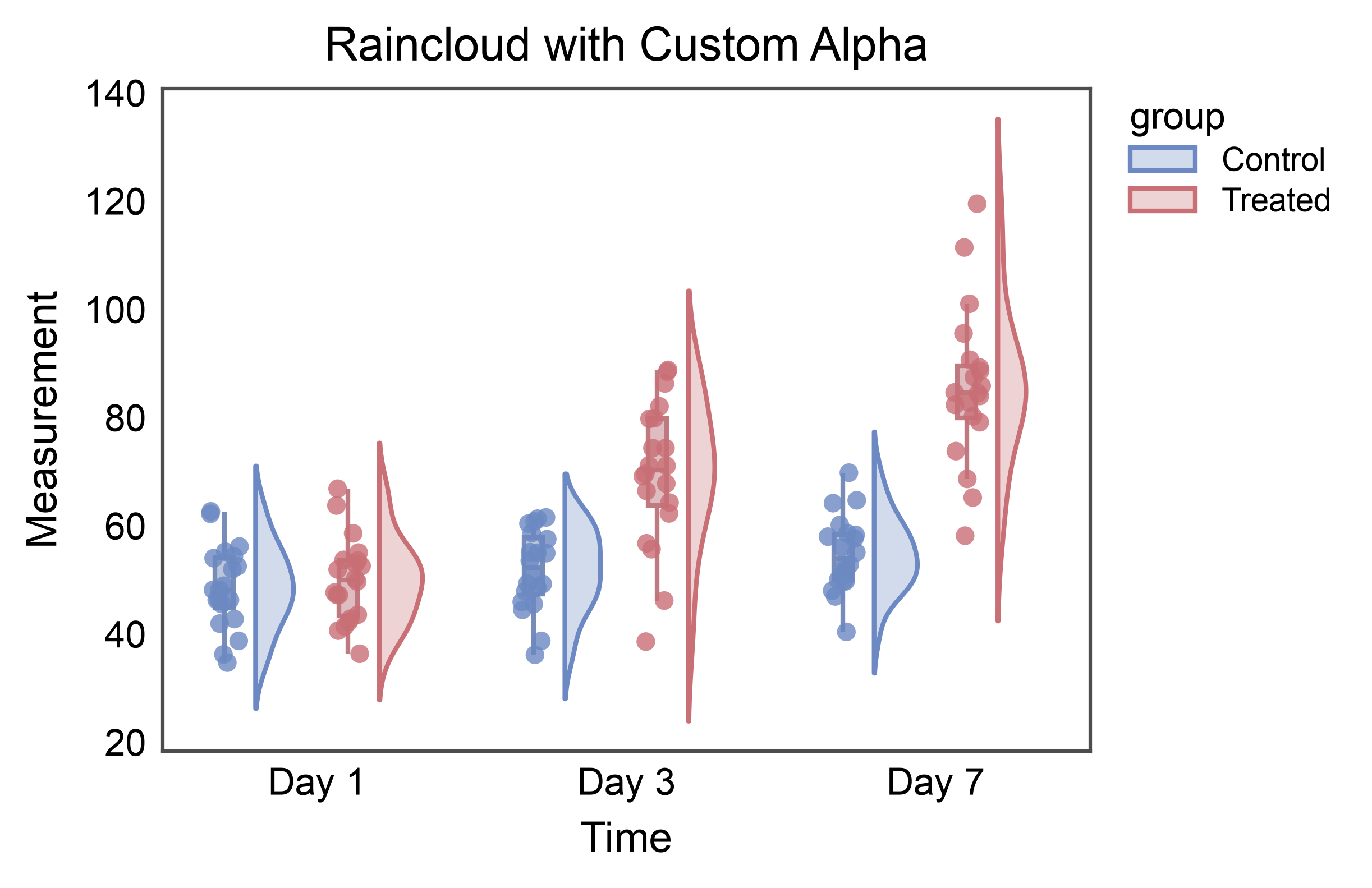
Raincloud Plot with Custom Alpha Values#
Adjust transparency of different components.
ax = pp.raincloudplot(
    data=raincloud_data,
    x='time',
    y='measurement',
    hue='group',
    title='Raincloud with Custom Alpha',
    xlabel='Time',
    ylabel='Measurement',
    cloud_alpha=0.3,
    box_kws=dict(alpha=0.5),
    rain_kws=dict(alpha=0.8, linewidth=0),
    palette="RdGyBu_r",
    box_offset=0.1,
    rain_offset=0.1,
)
pp.show()
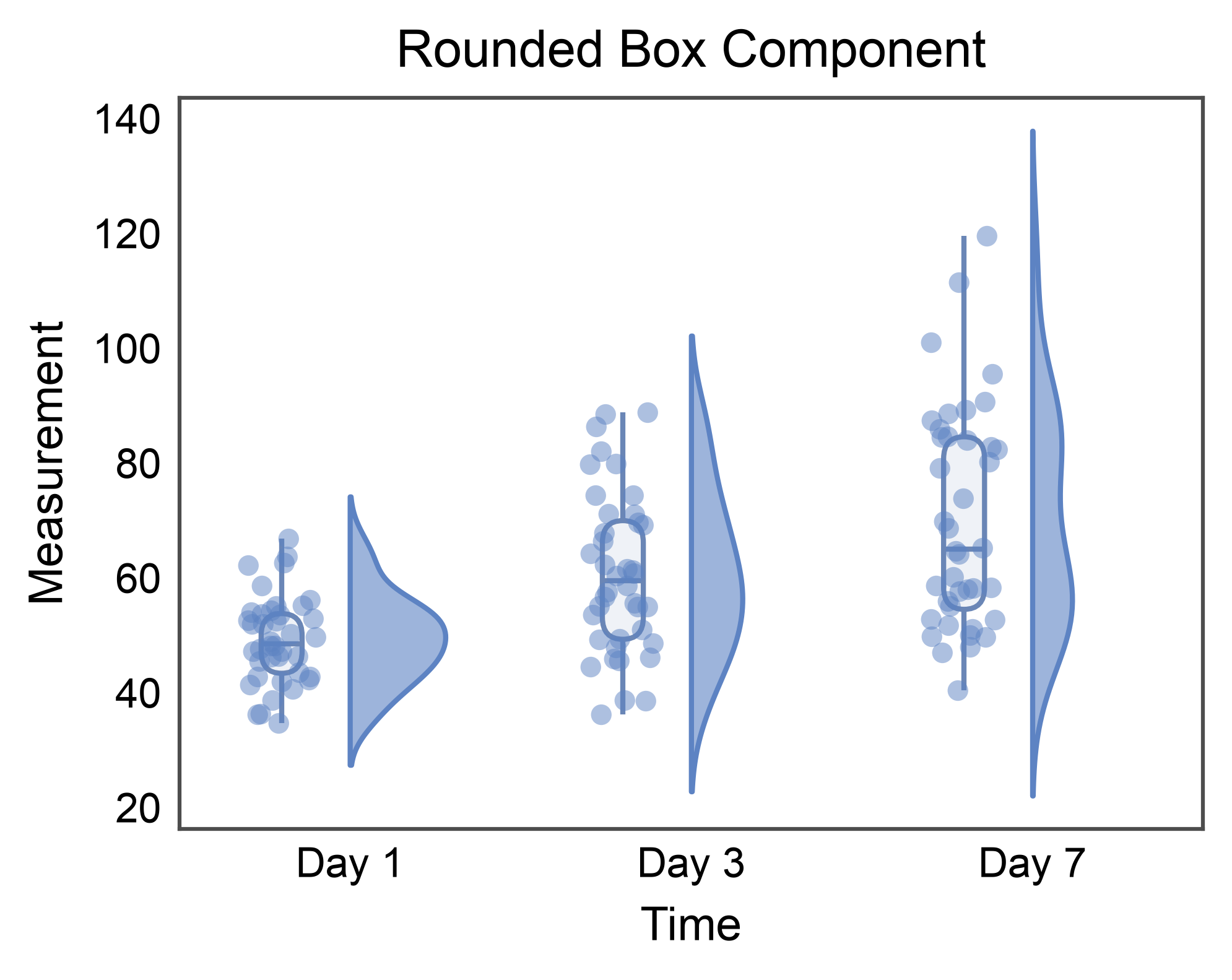
Rounded inner-box via box.border_radius#
New in 0.10.6: pp.raincloudplot composes violin + box + strip, and
the box component is drawn by pp.boxplot internally. Setting the
box.border_radius rcParam rounds the raincloud’s IQR box
automatically — no special wiring. The rcParam is restored after the
demo so downstream gallery sections see the default flat box.
pp.rcParams["box.border_radius"] = 1.5
try:
    ax = pp.raincloudplot(
        data=raincloud_data,
        x='time',
        y='measurement',
        title='Rounded Box Component',
        xlabel='Time',
        ylabel='Measurement',
        cloud_alpha=0.6,
    )
    pp.show()
finally:
    pp.rcParams["box.border_radius"] = (0.0, 0.0)
Total running time of the script: (0 minutes 3.687 seconds)