Note
Go to the end to download the full example code.
Residplot Examples#
publiplots.residplot() wraps seaborn.residplot() — the scatter
of regression residuals — and extends it with a hue= dimension that
seaborn doesn’t natively support. Each hue level gets its own residual
computation and a palette-mapped color; a categorical hue legend is
auto-rendered via the publiplots legend reactor.
Use residplot to diagnose fit quality: curvature in the residual
cloud (or a noticeable LOWESS bow) suggests the current regression order
is too low; obvious heteroscedasticity hints that variance isn’t
constant across the predictor.
import publiplots as pp
from publiplots.plot.residplot import residplot
import numpy as np
import pandas as pd
Basic Residuals (Linear Fit)#
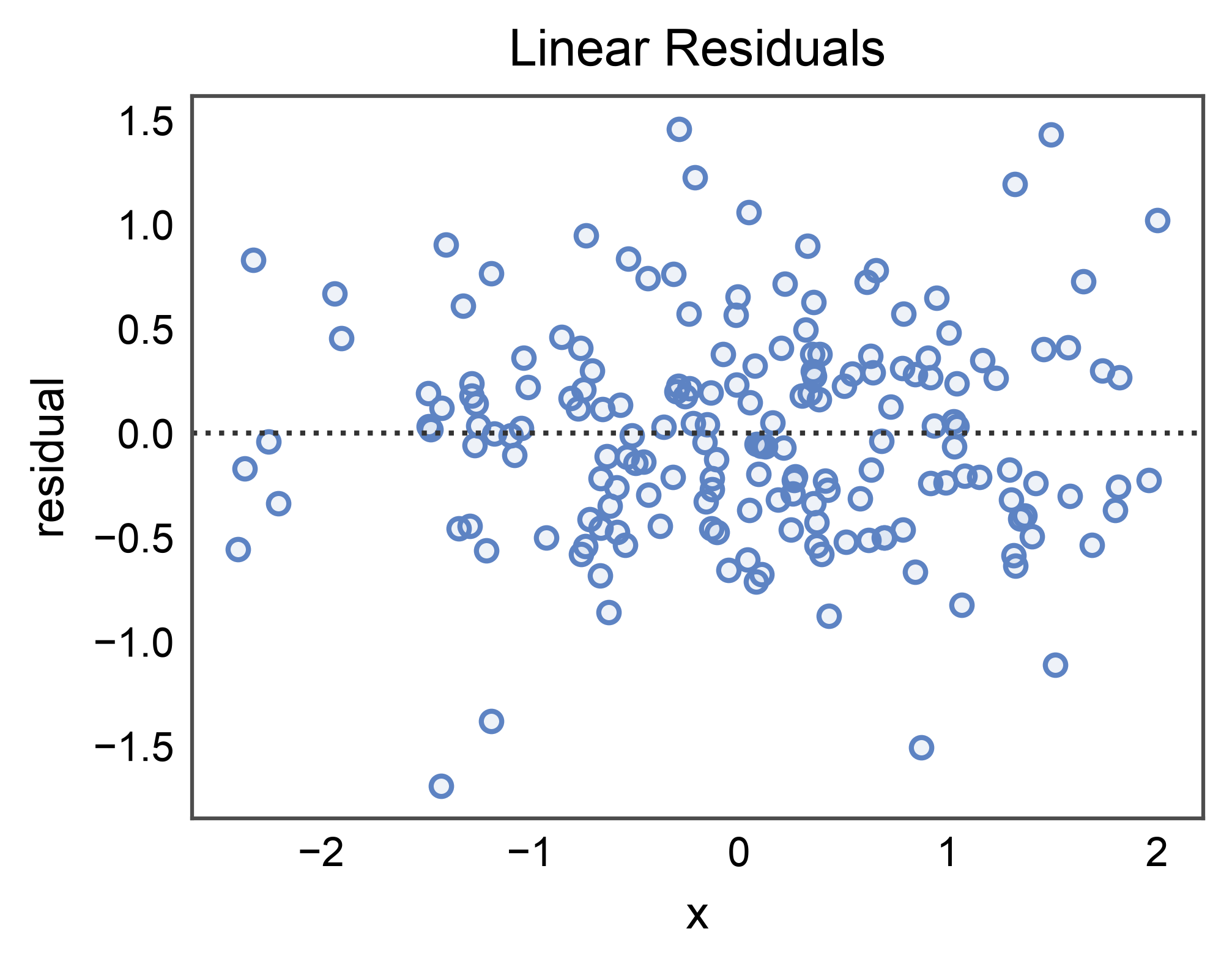
The simplest case: residuals of a linear regression of y on x.
The dotted horizontal is the zero reference line (a well-fit model
should have residuals centered on it with no visible structure).
rng = np.random.default_rng(0)
n = 180
x = rng.normal(0.0, 1.0, n)
y = 1.2 * x + rng.normal(0.0, 0.5, n)
df = pd.DataFrame({"x": x, "y": y})

ax = residplot(
    data=df, x="x", y="y",
    title="Linear Residuals",
    xlabel="x", ylabel="residual",
)
pp.show()
Polynomial Order (order=2)#
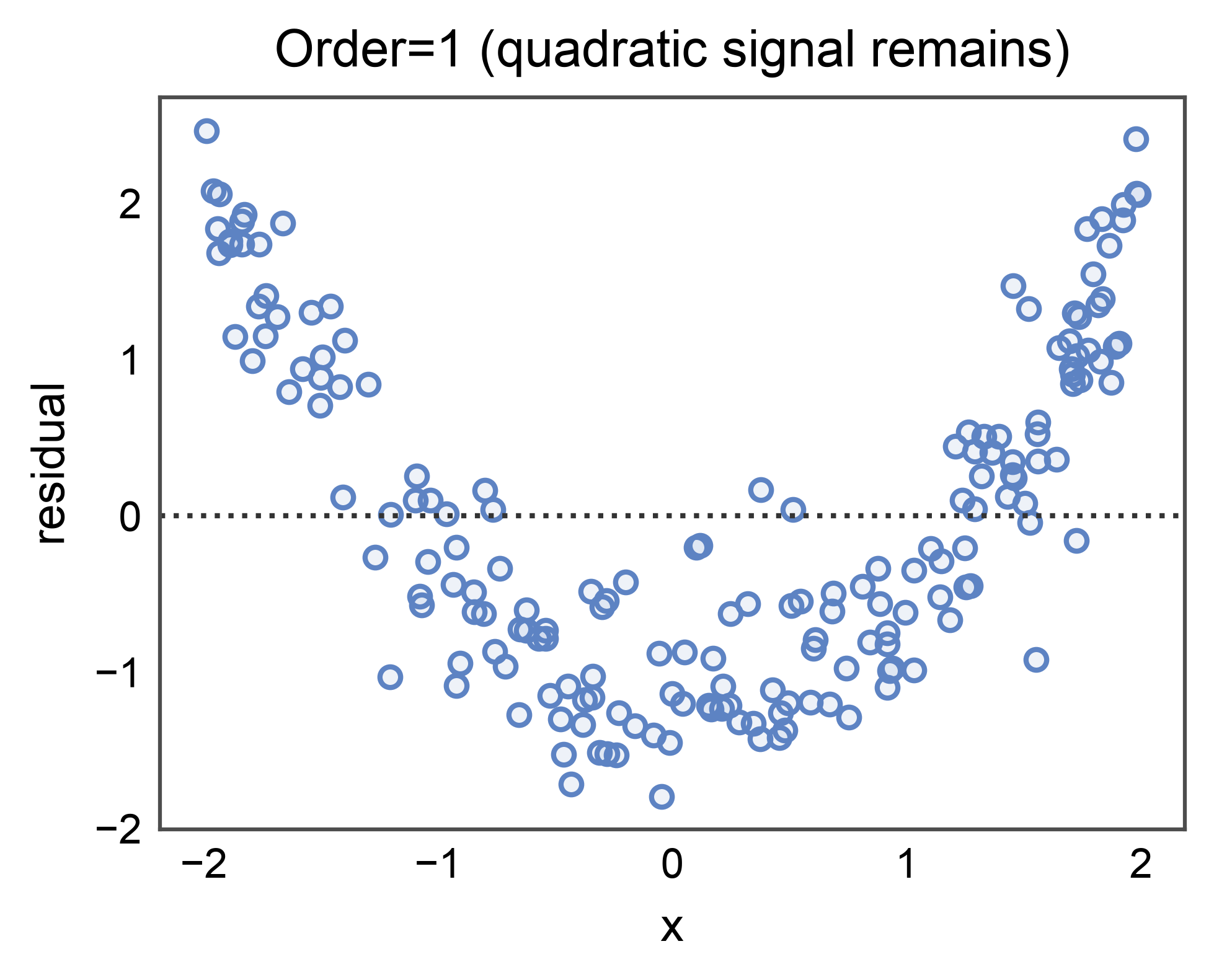
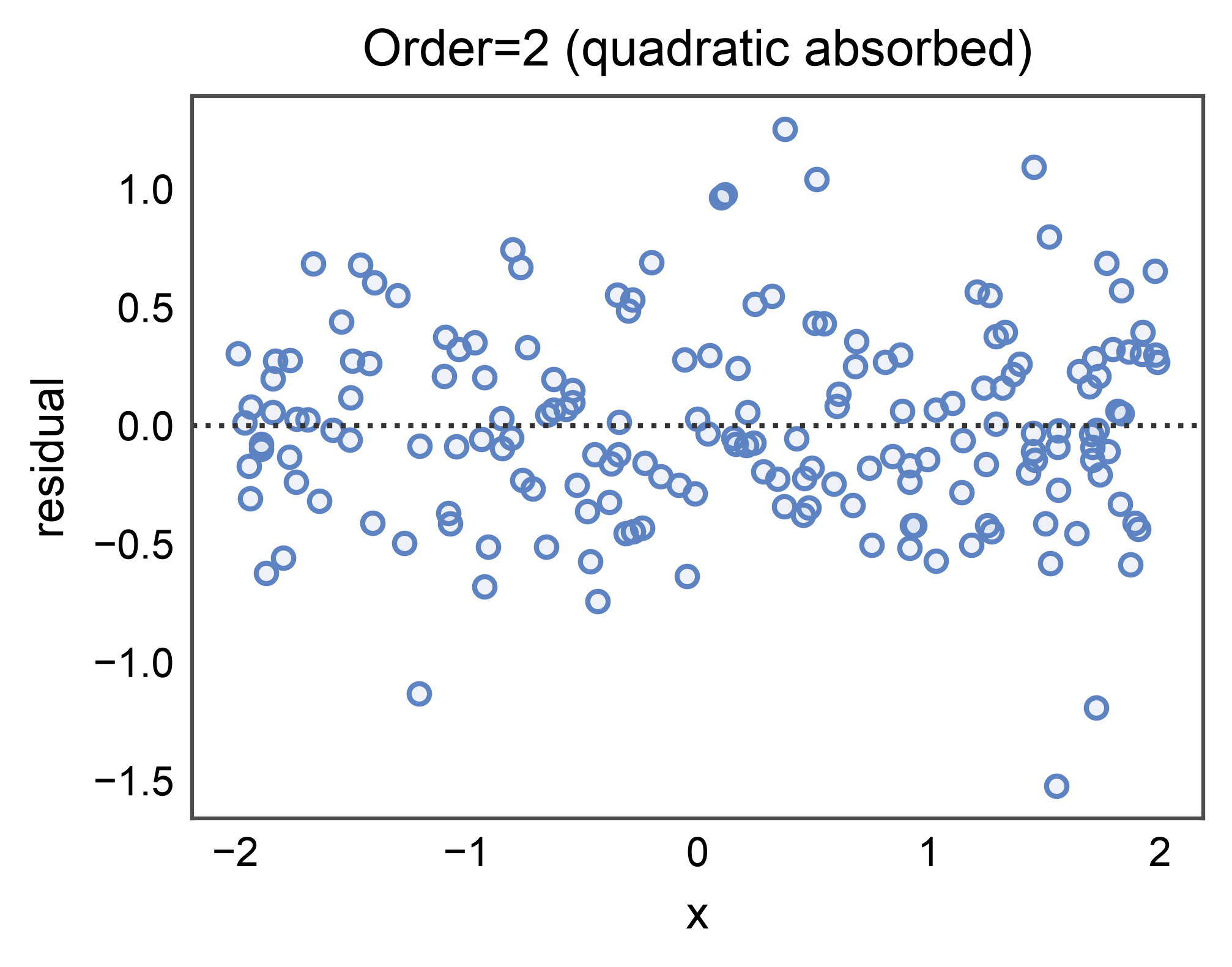
When the underlying relationship is non-linear, a linear fit leaves
systematic curvature in the residuals. Bumping order= to 2 absorbs
quadratic structure — the residual cloud should look more centered on
zero with no obvious bow.
rng = np.random.default_rng(0)
n = 180
x = rng.uniform(-2.0, 2.0, n)
y = 0.8 * x**2 + 0.3 * x + rng.normal(0.0, 0.4, n)
df_poly = pd.DataFrame({"x": x, "y": y})

ax = residplot(
    data=df_poly, x="x", y="y", order=1,
    title="Order=1 (quadratic signal remains)",
    xlabel="x", ylabel="residual",
)
pp.show()

ax = residplot(
    data=df_poly, x="x", y="y", order=2,
    title="Order=2 (quadratic absorbed)",
    xlabel="x", ylabel="residual",
)
pp.show()
LOWESS Smoother on Residuals#
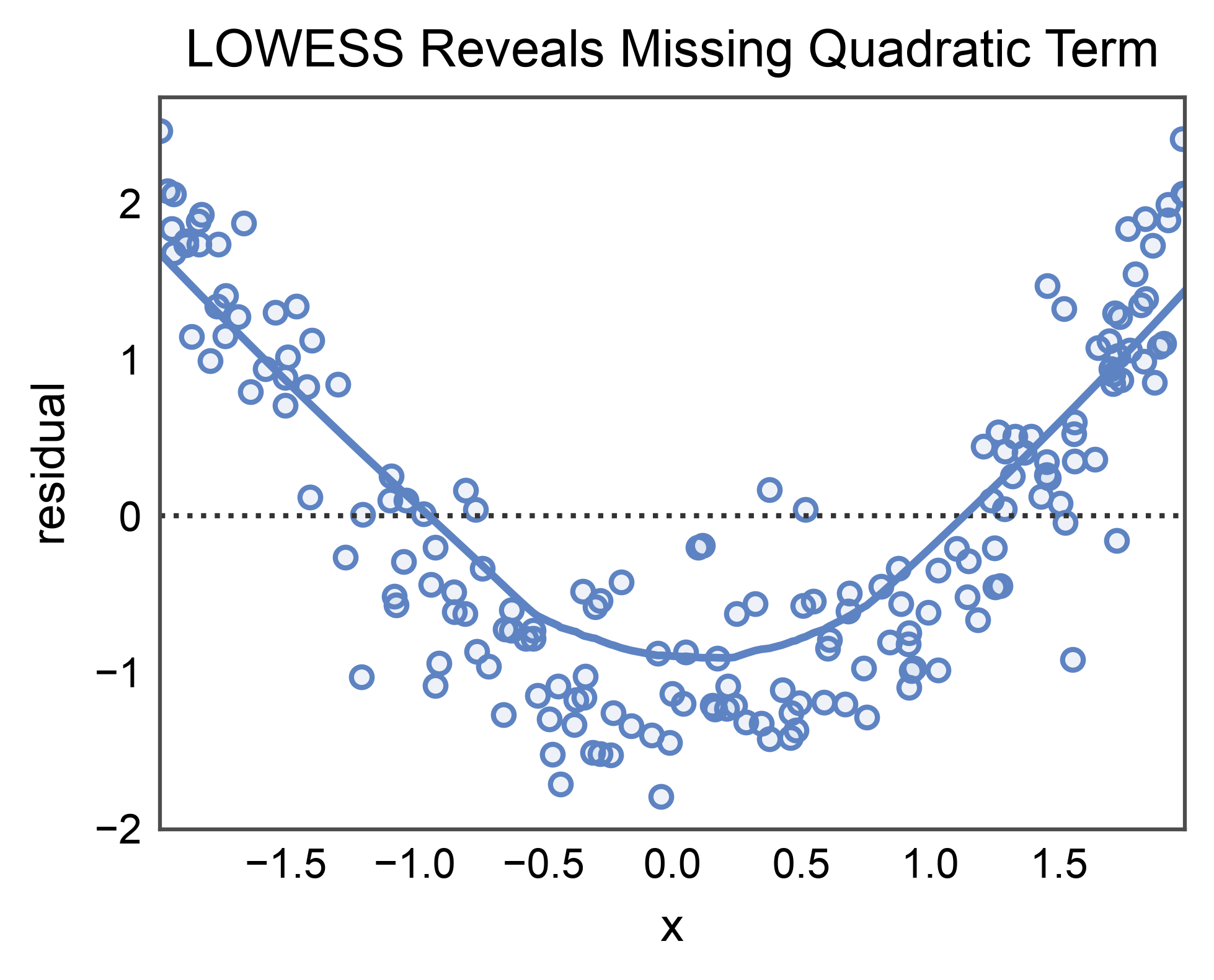
lowess=True fits a nonparametric smoother on top of the residual
cloud. A flat LOWESS curve is the goal; a persistent bow is evidence
of unmodeled structure. Requires statsmodels (install with
pip install publiplots[regression]).
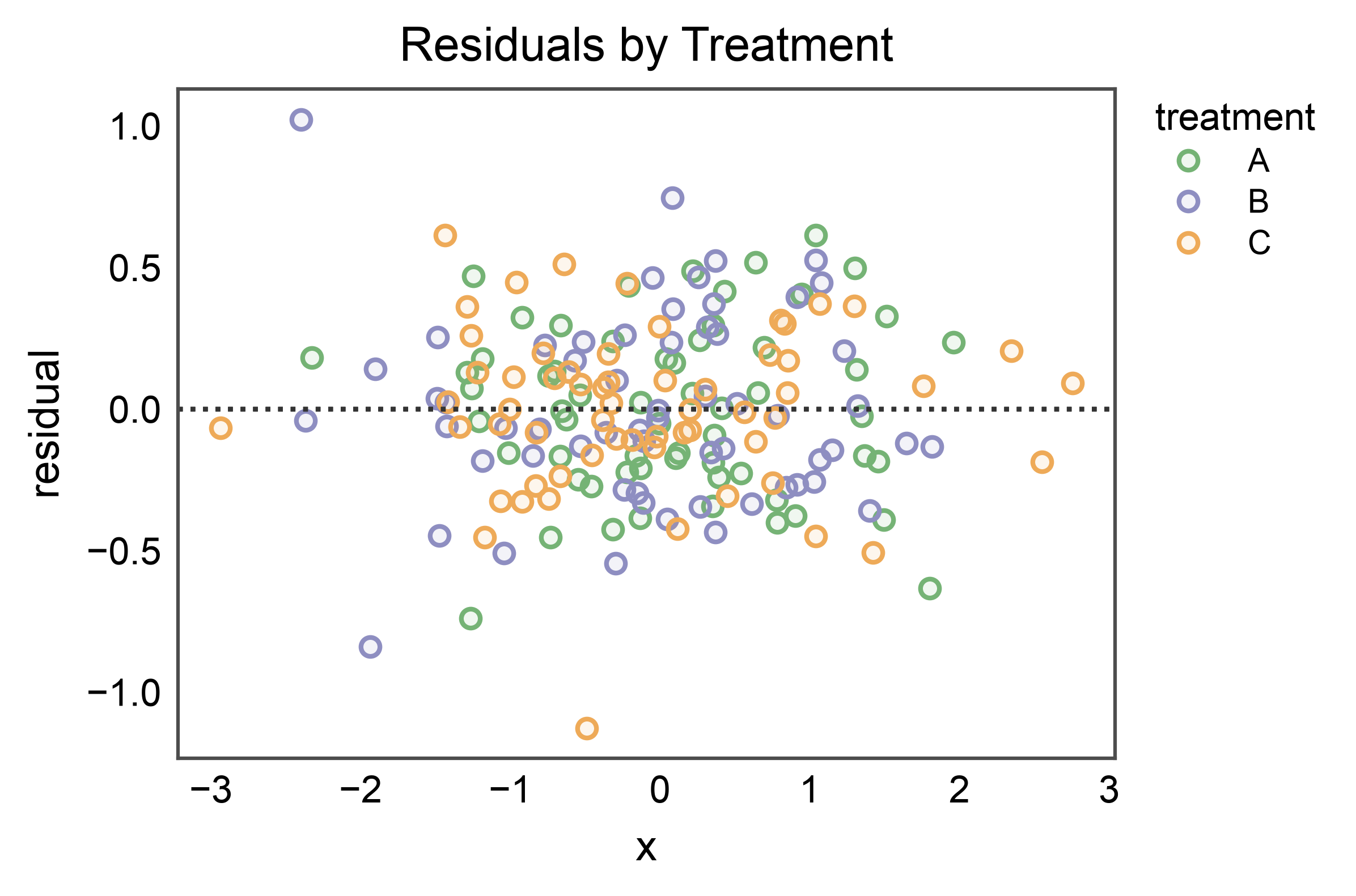
Residuals by Hue (the novelty over sns.residplot)#
When hue= is passed, the data is split by level and a separate
residual plot is drawn per group, each tinted by the palette. This
makes it easy to compare fit quality across conditions side-by-side.
rng = np.random.default_rng(0)
n_per = 60
slopes = {"A": 1.0, "B": 0.5, "C": -0.8}
frames = []
for group, slope in slopes.items():
    xg = rng.normal(0.0, 1.0, n_per)
    yg = slope * xg + rng.normal(0.0, 0.3, n_per)
    frames.append(pd.DataFrame({"x": xg, "y": yg, "treatment": group}))
hue_df = pd.concat(frames, ignore_index=True)

ax = residplot(
    data=hue_df, x="x", y="y", hue="treatment",
    title="Residuals by Treatment",
    xlabel="x", ylabel="residual",
)
pp.show()
Total running time of the script: (0 minutes 1.498 seconds)