Note
Go to the end to download the full example code.
Histogram Examples#
This example walks through publiplots.histplot(), built on top of
seaborn’s histplot. Histograms are ideal for inspecting the shape of
a univariate distribution — single or grouped — with optional stacking,
dodging, KDE overlays, and rich stats.
import publiplots as pp
import pandas as pd
import numpy as np
Basic Histogram#
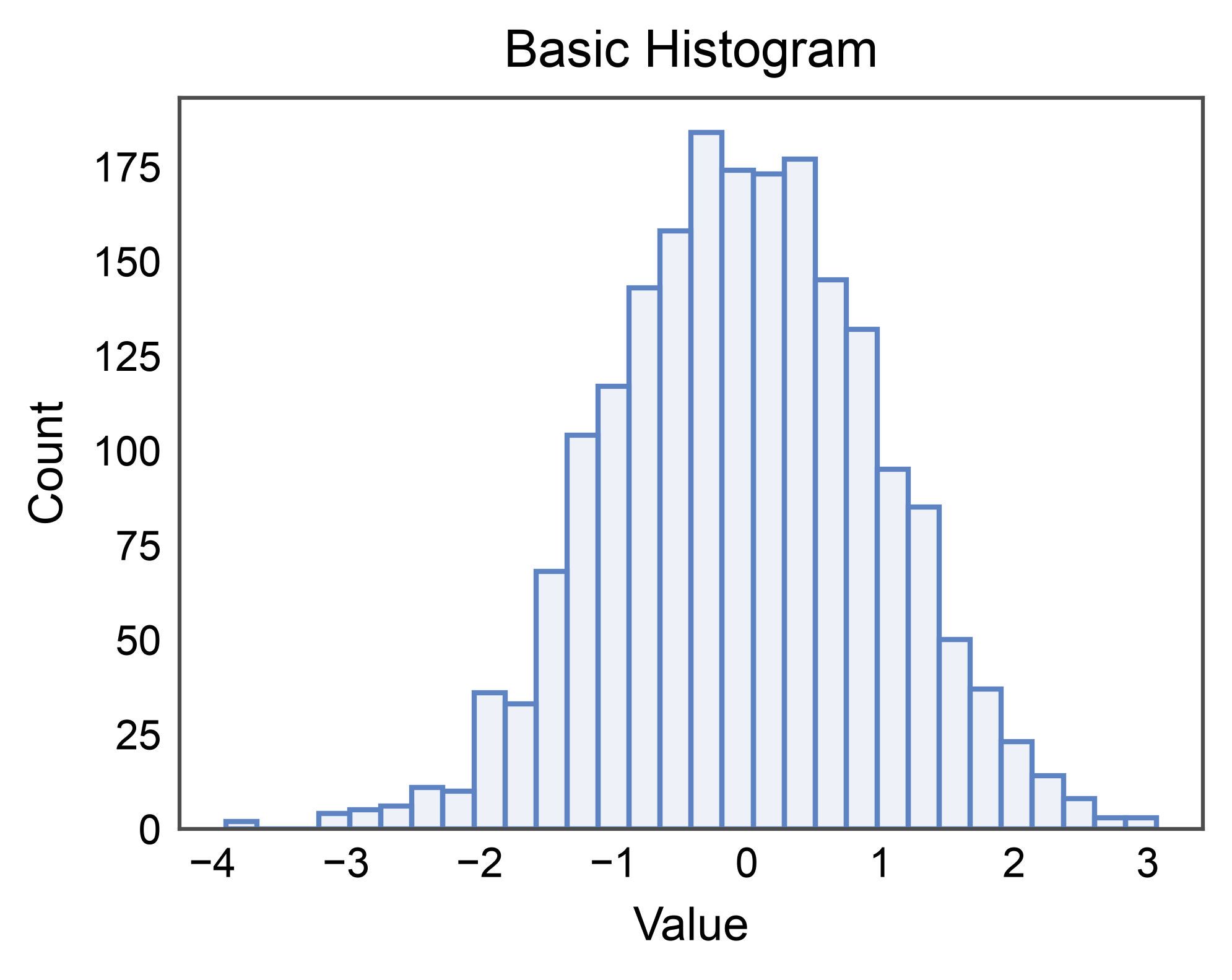
Simplest case: one numeric column, default stat="count".
rng = np.random.default_rng(0)
values = pd.DataFrame({"value": rng.normal(0, 1, 2000)})

ax = pp.histplot(
    data=values,
    x="value",
    bins=30,
    title="Basic Histogram",
    xlabel="Value",
    ylabel="Count",
)
pp.show()
Grouped Histogram (layered)#
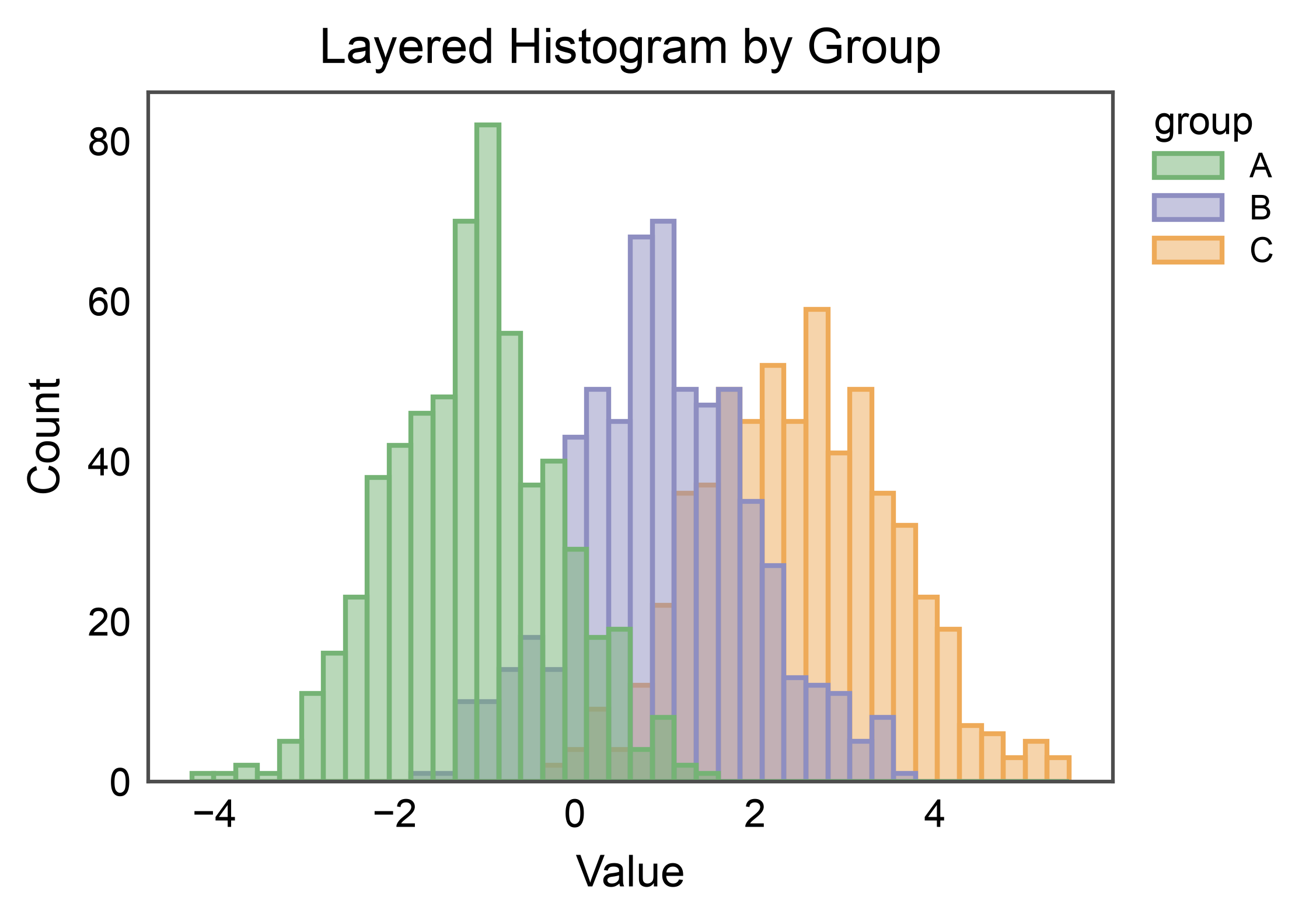
With hue, each level gets its own color from the palette. The
default multiple="layer" overlays distributions with translucent
fills so overlap regions are visible.
rng = np.random.default_rng(7)
mix = pd.DataFrame({
    "value": np.r_[rng.normal(-1.0, 1, 600),
                   rng.normal( 1.0, 1, 600),
                   rng.normal( 2.5, 1, 600)],
    "group": ["A"] * 600 + ["B"] * 600 + ["C"] * 600,
})

ax = pp.histplot(
    data=mix,
    x="value",
    hue="group",
    bins=40,
    palette="pastel",
    alpha=0.5,
    title="Layered Histogram by Group",
    xlabel="Value",
    ylabel="Count",
)
pp.show()
Dodge, Stack, and Fill#
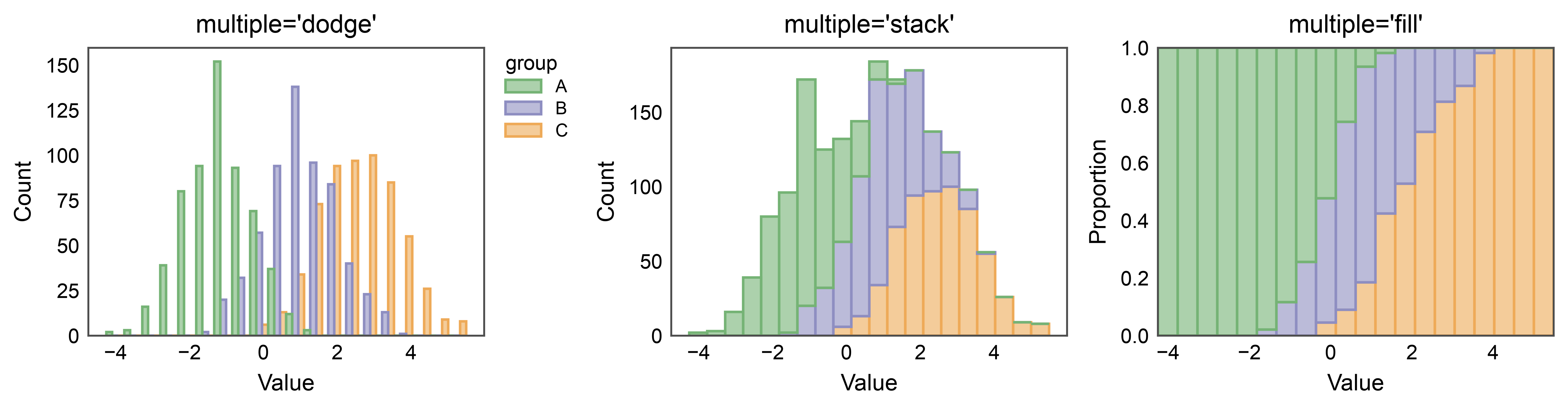
multiple= changes how hue levels are combined per bin.
"dodge" places them side-by-side; "stack" piles them; "fill"
normalizes per-bin totals to 1 so the plot shows proportions.
fig, axes = pp.subplots(nrows=1, ncols=3, axes_size=(55, 40))
for ax_, mode in zip(axes.flat, ["dodge", "stack", "fill"]):
    pp.histplot(
        data=mix, x="value", hue="group", bins=20,
        multiple=mode, palette="pastel", alpha=0.6,
        ax=ax_, title=f"multiple={mode!r}",
        xlabel="Value", ylabel="Count" if mode != "fill" else "Proportion",
        legend=(mode == "dodge"),
    )
pp.show()
Density + KDE Overlay#
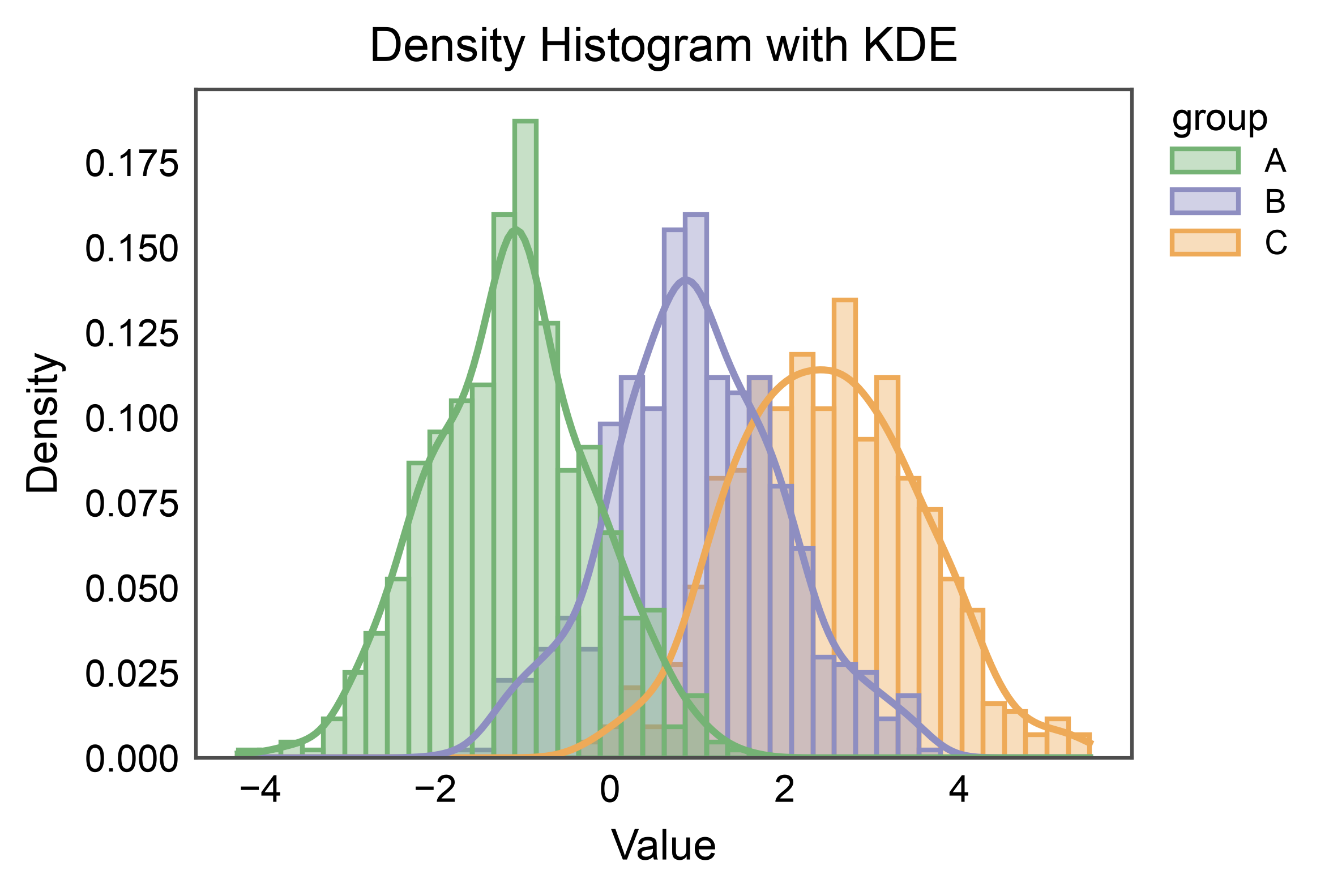
Switch to stat="density" so the histogram integrates to 1, then
enable kde=True to overlay a kernel density estimate per group.
ax = pp.histplot(
    data=mix,
    x="value",
    hue="group",
    stat="density",
    kde=True,
    palette="pastel",
    alpha=0.4,
    bins=40,
    title="Density Histogram with KDE",
    xlabel="Value",
    ylabel="Density",
)
pp.show()
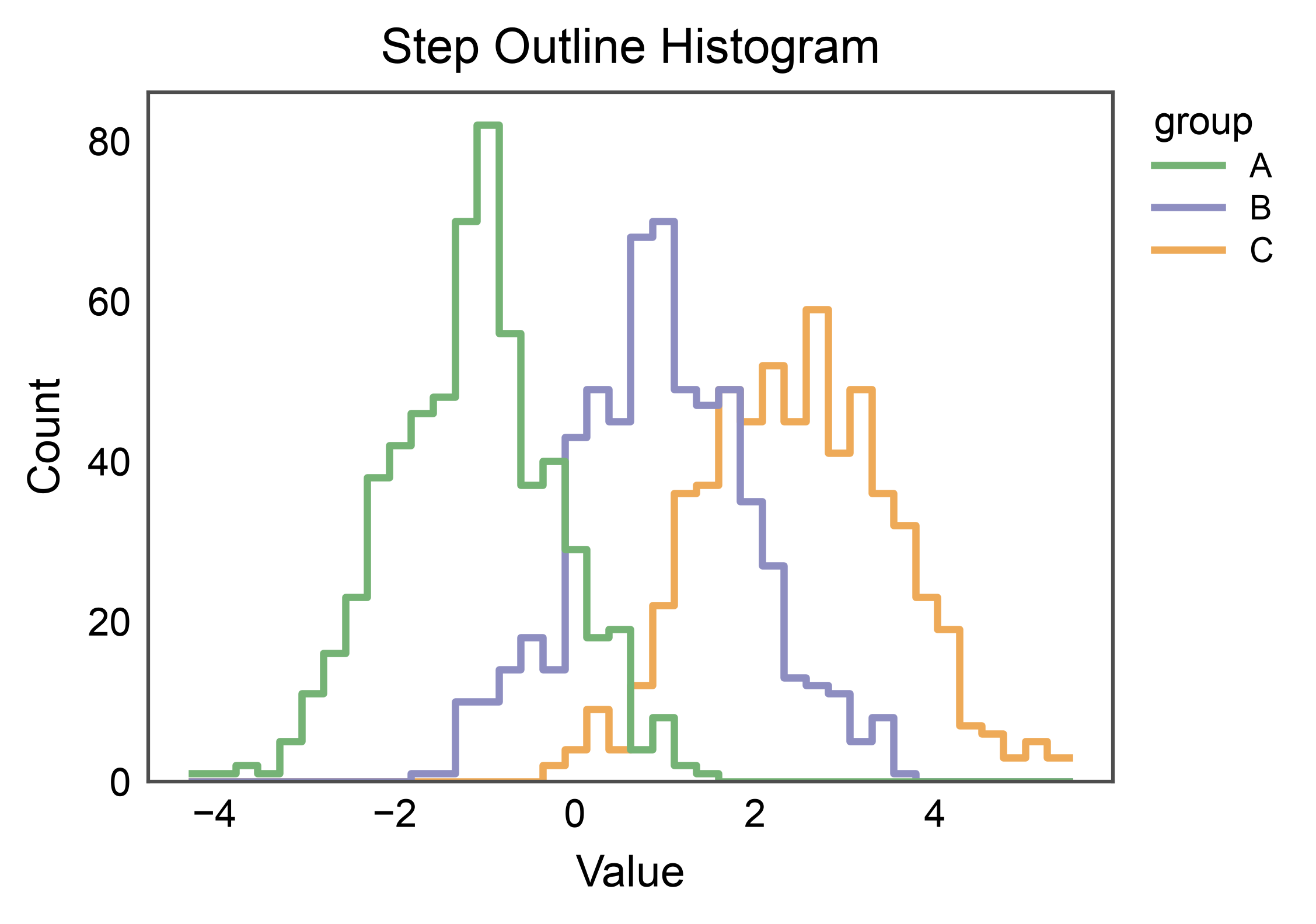
Step Outline (Unfilled)#
element="step" draws a piecewise-constant outline. With
fill=False the bars are replaced by clean contours — useful for
comparing many groups without visual clutter.
ax = pp.histplot(
    data=mix,
    x="value",
    hue="group",
    element="step",
    fill=False,
    bins=40,
    palette="pastel",
    linewidth=1.5,
    title="Step Outline Histogram",
    xlabel="Value",
    ylabel="Count",
)
pp.show()
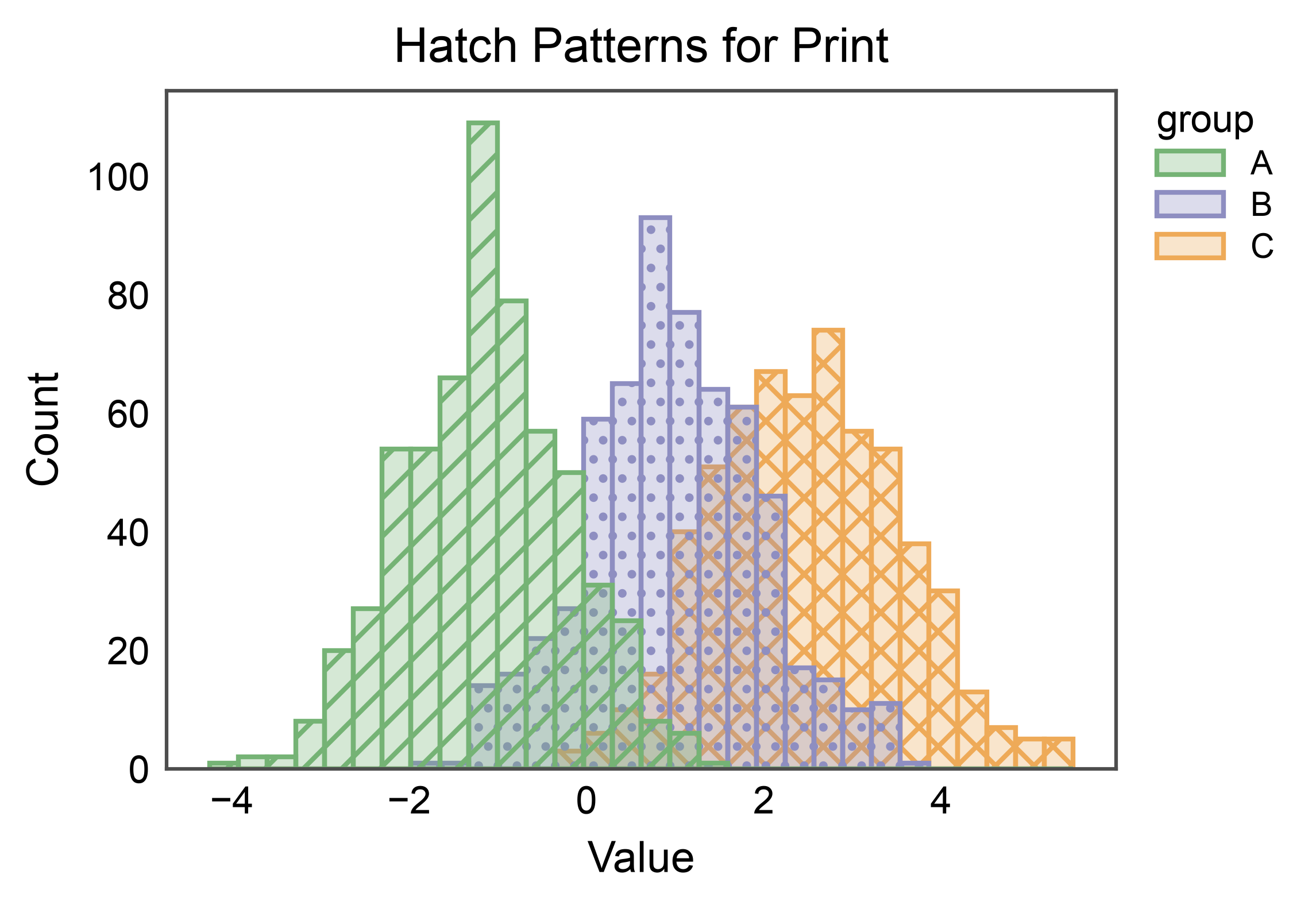
Hatch Patterns#
For B&W-friendly figures, assign a hatch pattern per group alongside
color. In v1, hatch= is supported with multiple="layer" and
with hue=None. Override per-level patterns with hatch_map=.
ax = pp.histplot(
    data=mix,
    x="value",
    hue="group",
    hatch="group",
    hatch_map={"A": "///", "B": "...", "C": "xxx"},
    palette="pastel",
    bins=30,
    alpha=0.3,
    title="Hatch Patterns for Print",
    xlabel="Value",
    ylabel="Count",
)
pp.show()
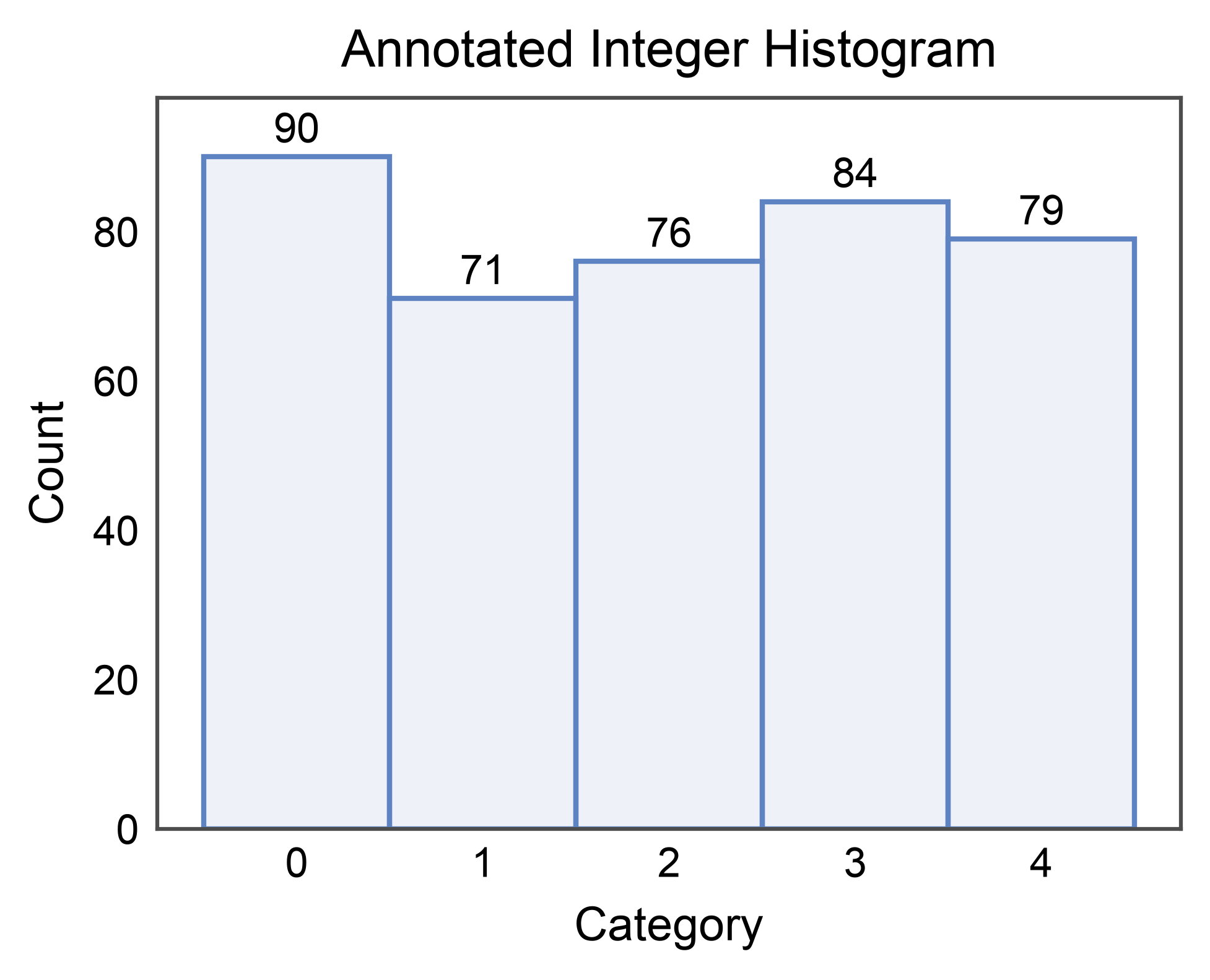
Annotated Bar Counts#
annotate=True labels each bar with its value (only supported for
element="bars"). Pass a dict to forward options to
publiplots.annotate() (format strings, offsets, anchors, …).
rng = np.random.default_rng(11)
discrete = pd.DataFrame({"category": rng.integers(0, 5, 400)})

ax = pp.histplot(
    data=discrete,
    x="category",
    bins=5,
    discrete=True,
    annotate={"fmt": ".0f"},
    title="Annotated Integer Histogram",
    xlabel="Category",
    ylabel="Count",
)
pp.show()
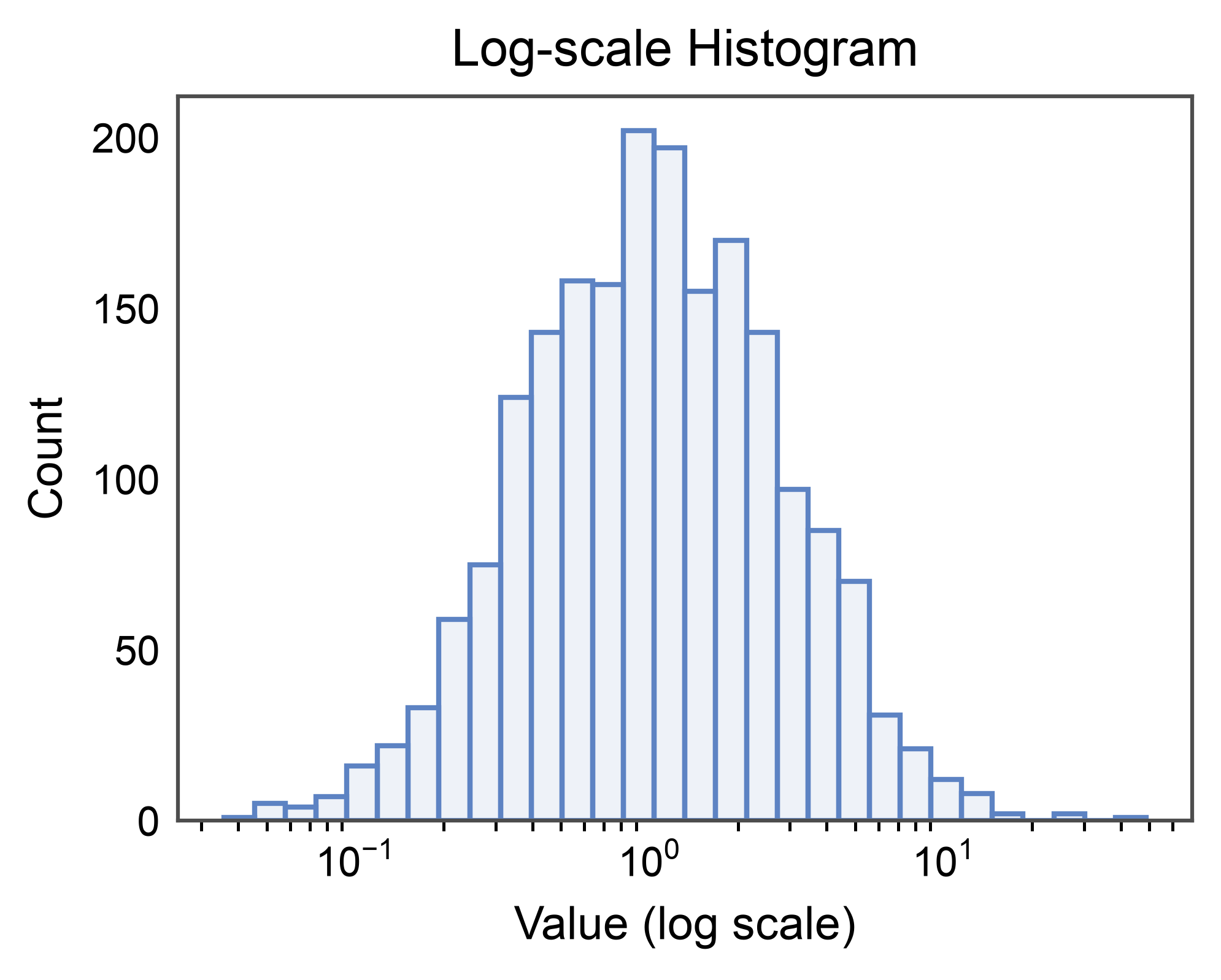
Log Scale#
Long-tailed data is easier to read on a log axis. log_scale=True
switches the value axis to log and rebins appropriately.
rng = np.random.default_rng(3)
heavy_tail = pd.DataFrame({"x": rng.lognormal(0, 1, 2000)})

ax = pp.histplot(
    data=heavy_tail,
    x="x",
    bins=30,
    log_scale=True,
    title="Log-scale Histogram",
    xlabel="Value (log scale)",
    ylabel="Count",
)
pp.show()
Horizontal Histogram#
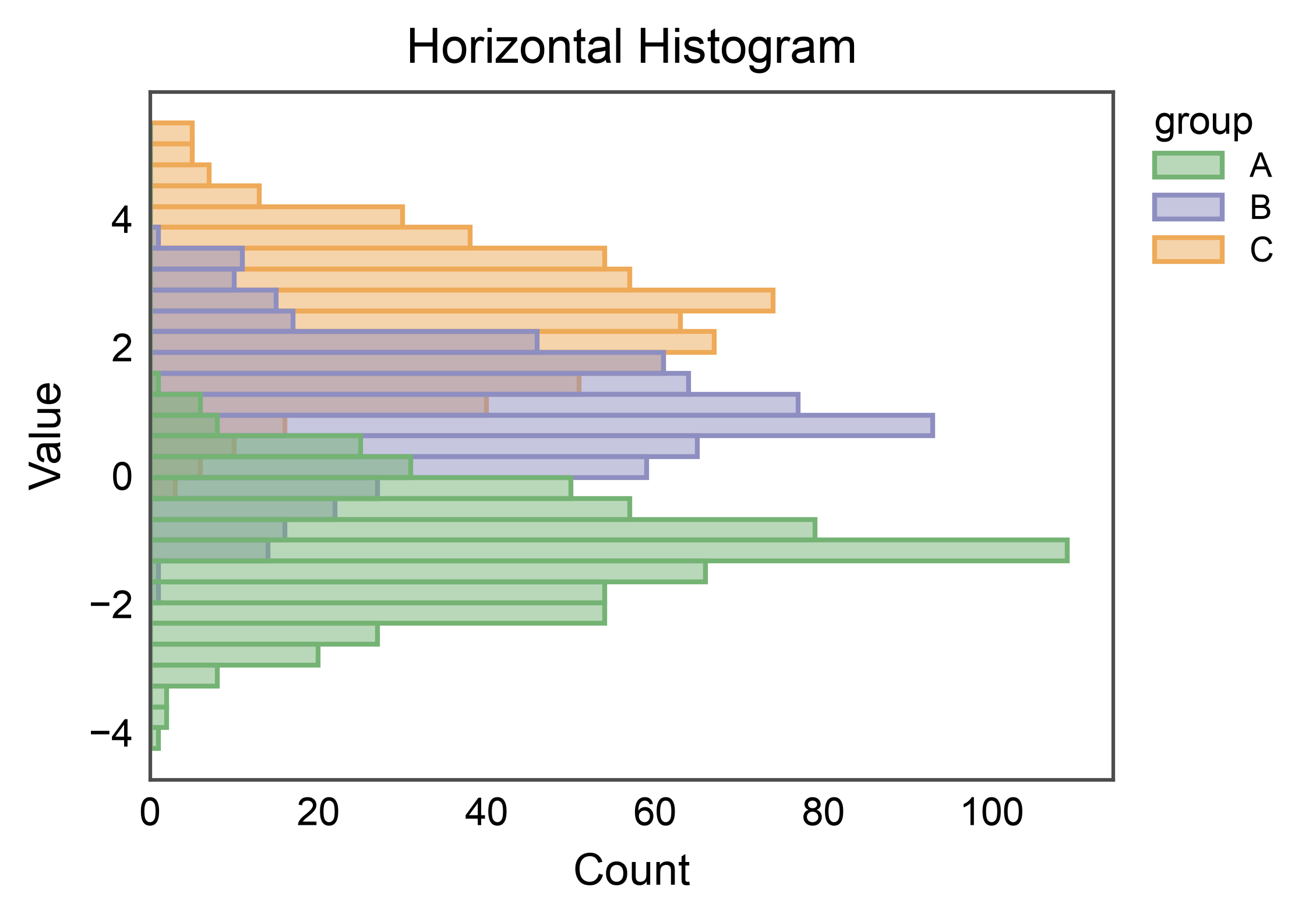
Pass y= instead of x= to rotate the histogram 90 degrees.
Useful for stacking next to categorical axes in multipanel figures.
ax = pp.histplot(
    data=mix,
    y="value",
    hue="group",
    bins=30,
    palette="pastel",
    alpha=0.5,
    title="Horizontal Histogram",
    xlabel="Count",
    ylabel="Value",
)
pp.show()
2D Histogram (Bivariate)#
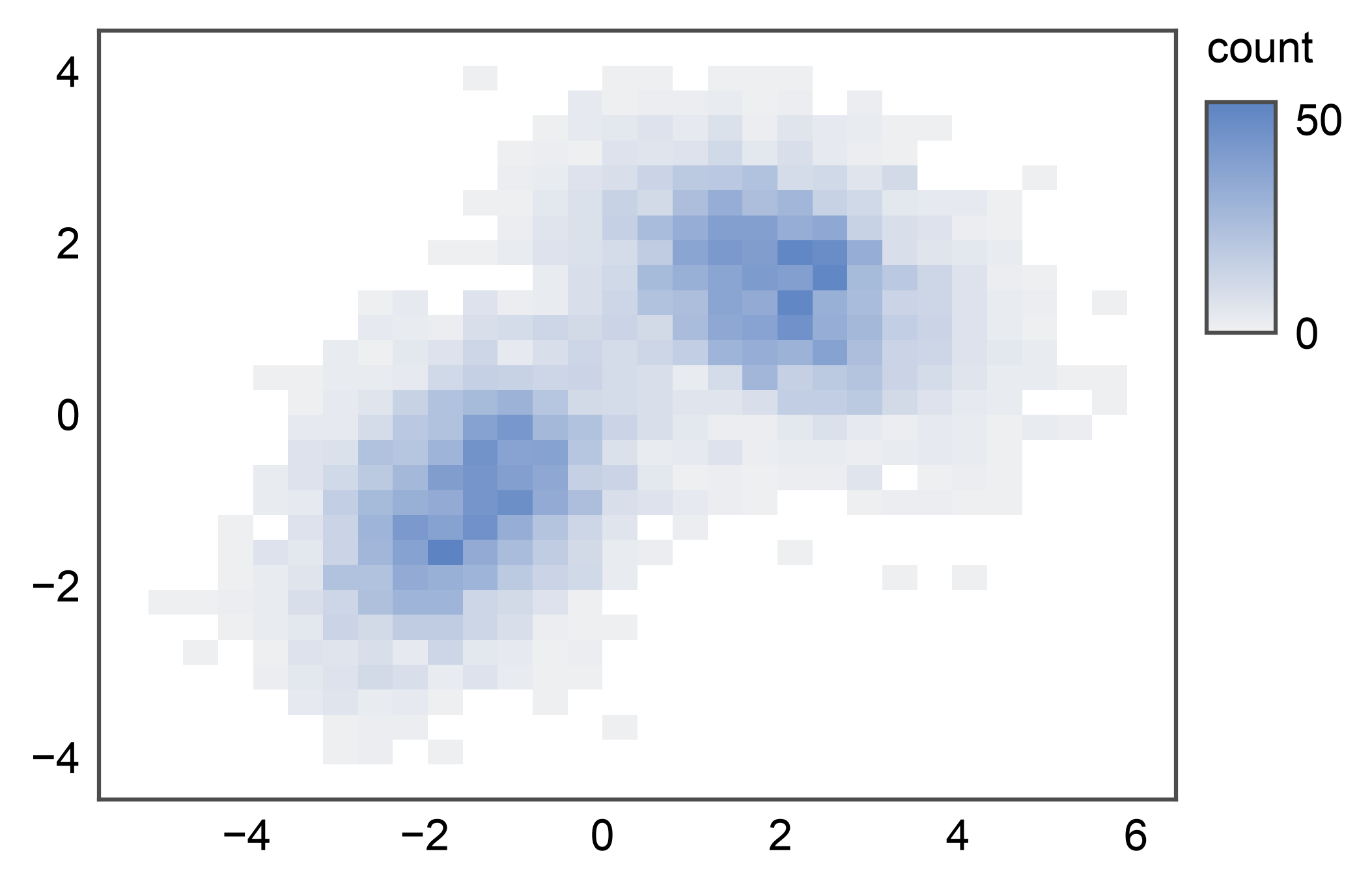
Pass both x= and y= to render a 2D histogram — a heatmap-
like bivariate density readout where each cell colors by the count
(or whatever stat= resolves to). The colorbar lands on the
figure-level legend band on the right. With many points, this is a
useful alternative to pp.hexbinplot() when you want explicit
rectangular bins.
rng = np.random.default_rng(0)
n = 5_000
cluster_a = rng.multivariate_normal([-1.5, -1.0], [[1.0, 0.4], [0.4, 1.0]], n // 2)
cluster_b = rng.multivariate_normal([2.0, 1.5], [[1.2, -0.3], [-0.3, 0.8]], n // 2)
mixture = pd.DataFrame(np.vstack([cluster_a, cluster_b]), columns=["x", "y"])

ax = pp.histplot(data=mixture, x="x", y="y")
pp.show()
2D Histogram with Custom Colormap#
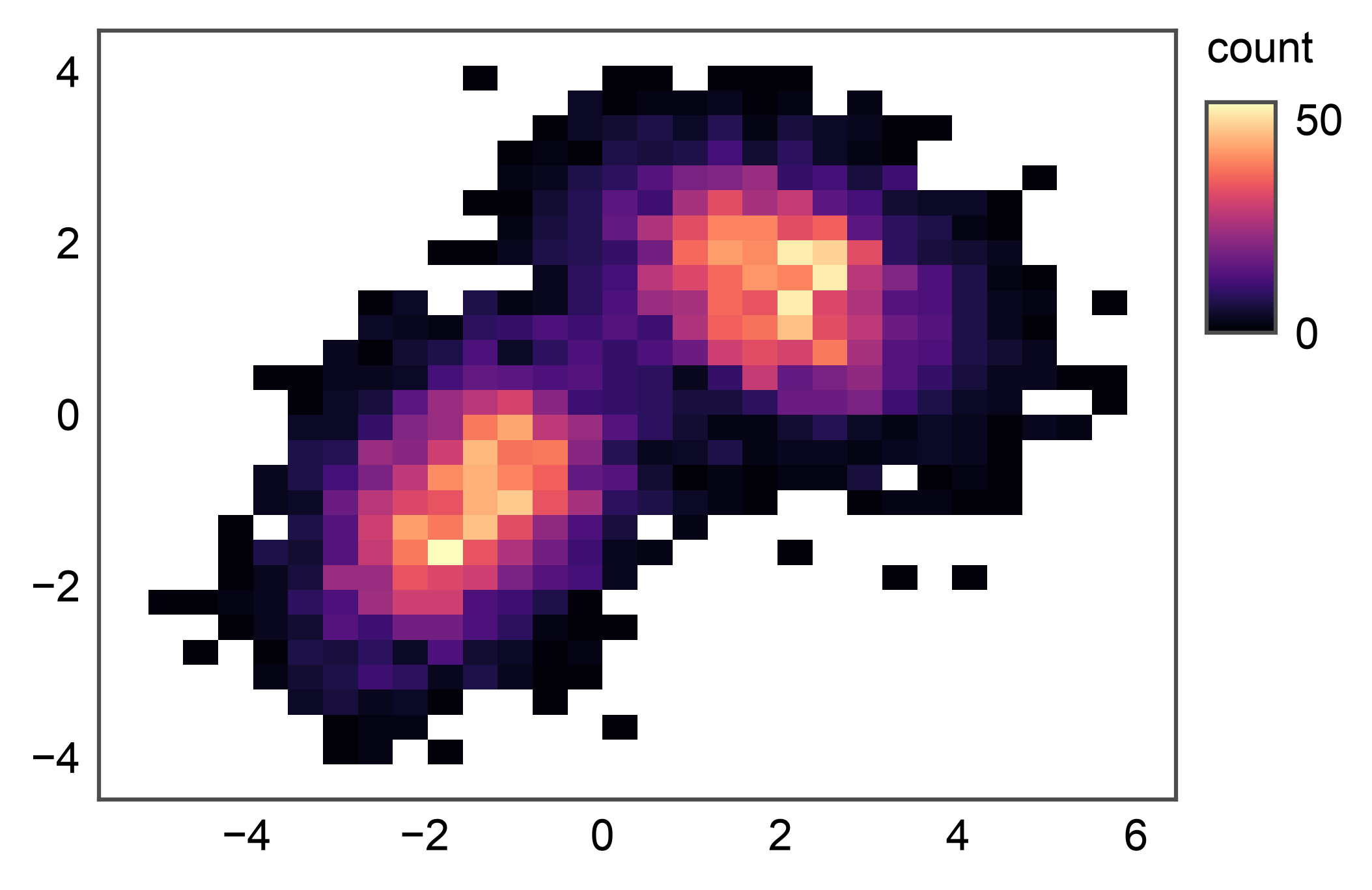
By default the cmap is a light sequential gradient built from
pp.rcParams["color"] so 2D primitives match the rest of
publiplots’ theme. Pass cmap= to override with any matplotlib
or seaborn cmap name. Pair with vmin=/vmax= to clip the
color scale.
ax = pp.histplot(data=mixture, x="x", y="y", cmap="magma")
pp.show()
2D Histogram with Hue#
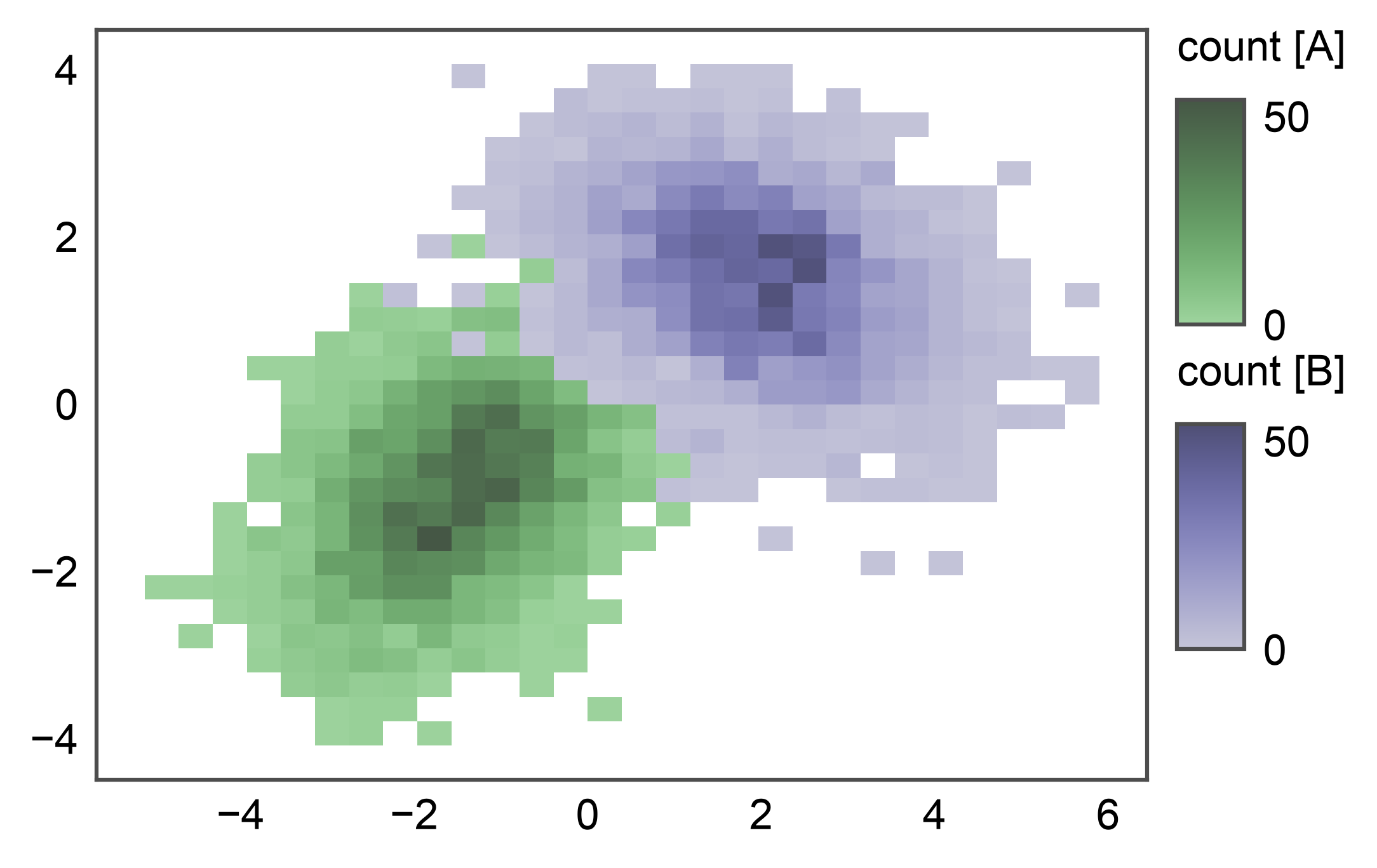
Pass hue= to overlay one heatmap per hue level. Each level
draws its own QuadMesh tinted by the palette, and the legend
stacks one colorbar per level (e.g. count [A] / count [B])
so per-subgroup count magnitudes stay readable. Useful for two or
three labeled subgroups in 2D — for more than three levels, prefer
faceting via pp.subplots().
Total running time of the script: (0 minutes 7.976 seconds)