Note
Go to the end to download the full example code.
Box Plot Examples#
This example demonstrates box plot functionality in PubliPlots, including simple box plots, grouped box plots, and combined box+swarm plots.
Examples#
import publiplots as pp
import pandas as pd
import numpy as np
Simple Box Plot#
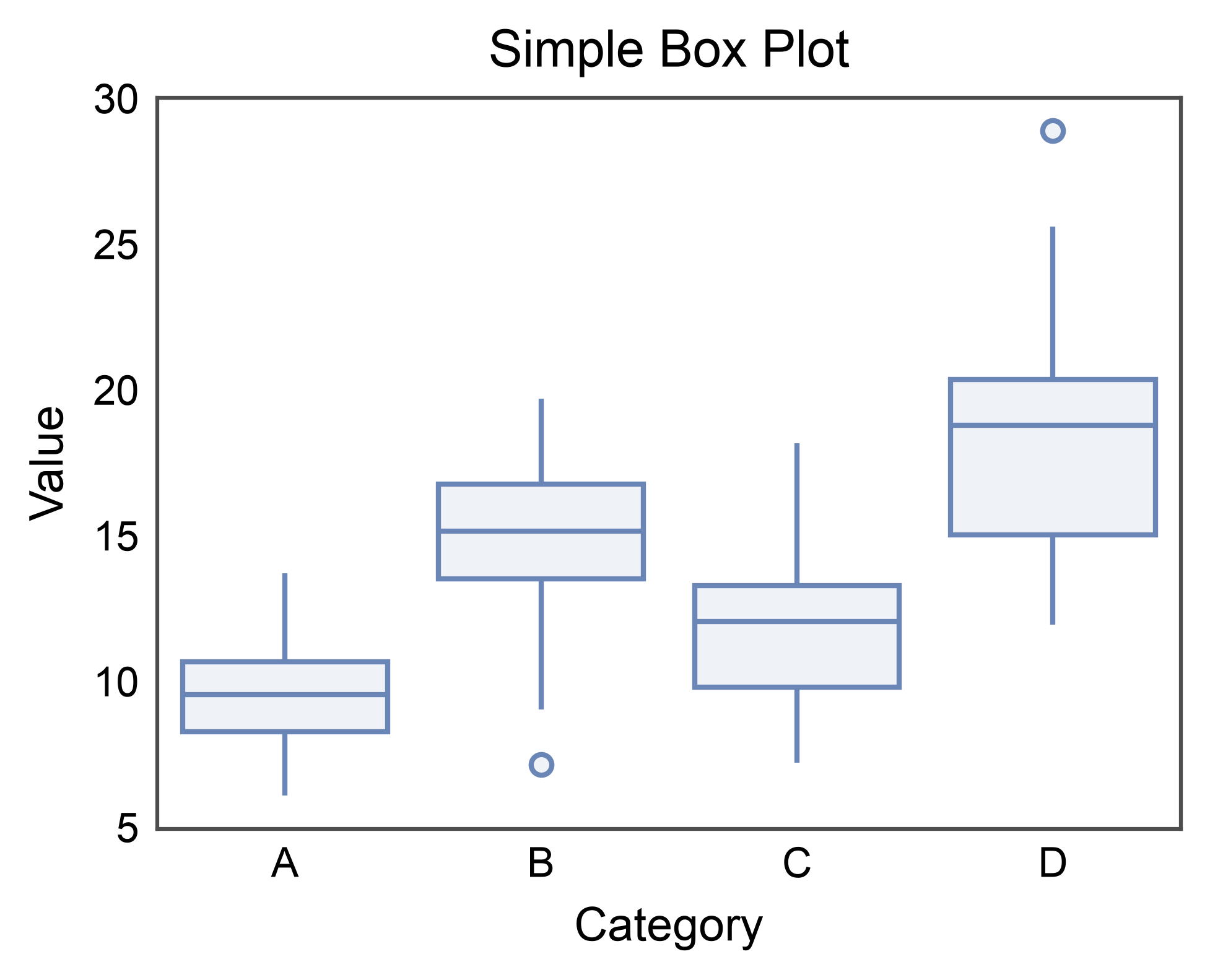
Basic box plot showing distribution by category.
# Create sample data
np.random.seed(42)
n = 200
box_data = pd.DataFrame({
    'category': np.repeat(['A', 'B', 'C', 'D'], n // 4),
    'value': np.concatenate([
        np.random.normal(10, 2, n // 4),
        np.random.normal(15, 3, n // 4),
        np.random.normal(12, 2.5, n // 4),
        np.random.normal(18, 4, n // 4)
    ])
})

# Create simple box plot
ax = pp.boxplot(
    data=box_data,
    x='category',
    y='value',
    title='Simple Box Plot',
    xlabel='Category',
    ylabel='Value',
)
pp.show()
Box Plot with Hue Grouping#
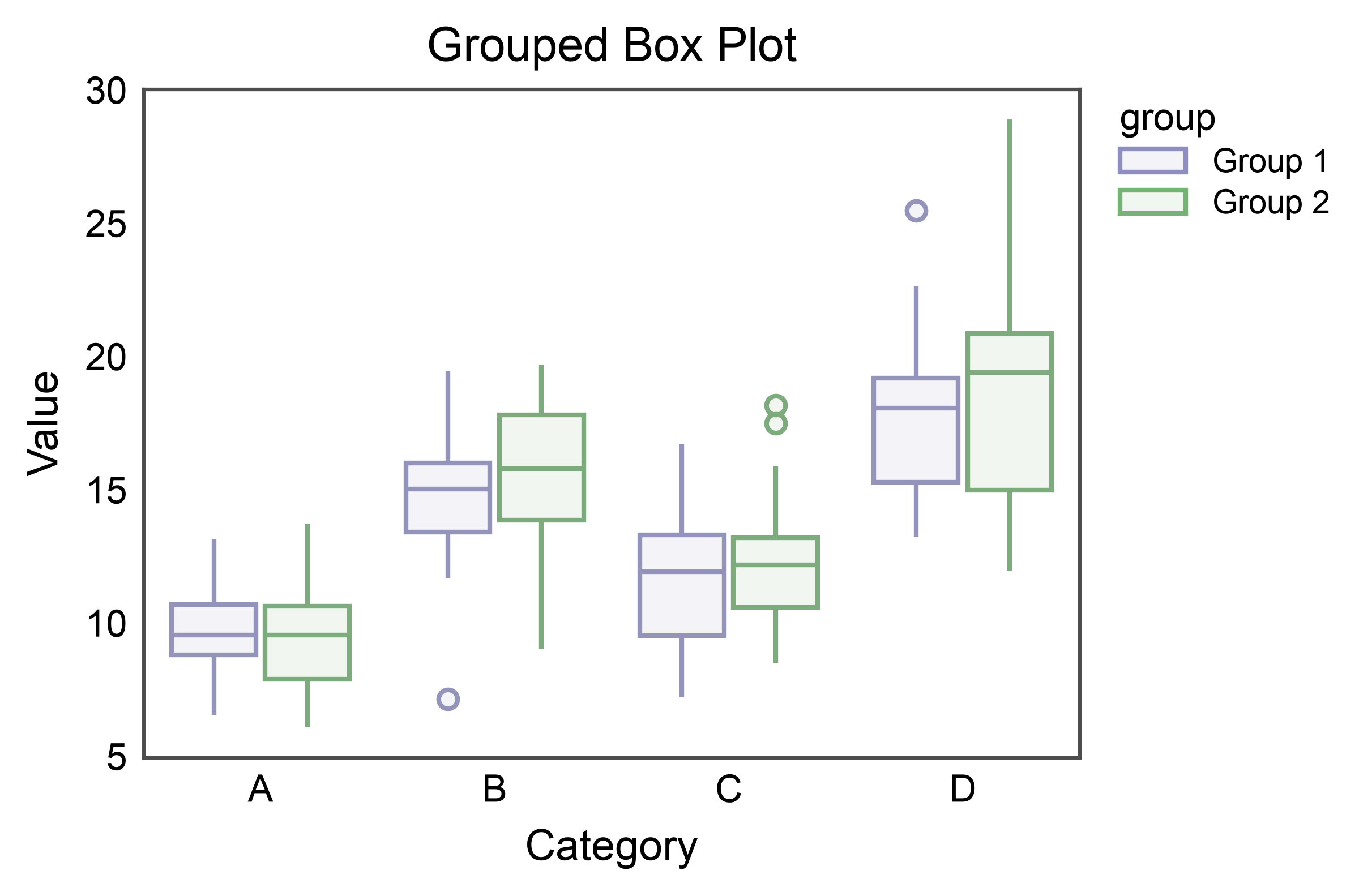
Use the hue parameter to create grouped box plots.
# Add group variable
box_data['group'] = np.tile(['Group 1', 'Group 2'], n // 2)

# Create grouped box plot
ax = pp.boxplot(
    data=box_data,
    x='category',
    y='value',
    hue='group',
    gap=0.1,
    title='Grouped Box Plot',
    xlabel='Category',
    ylabel='Value',
    palette={'Group 1': '#8E8EC1', 'Group 2': '#75B375'},
)
pp.show()
Horizontal Box Plot#
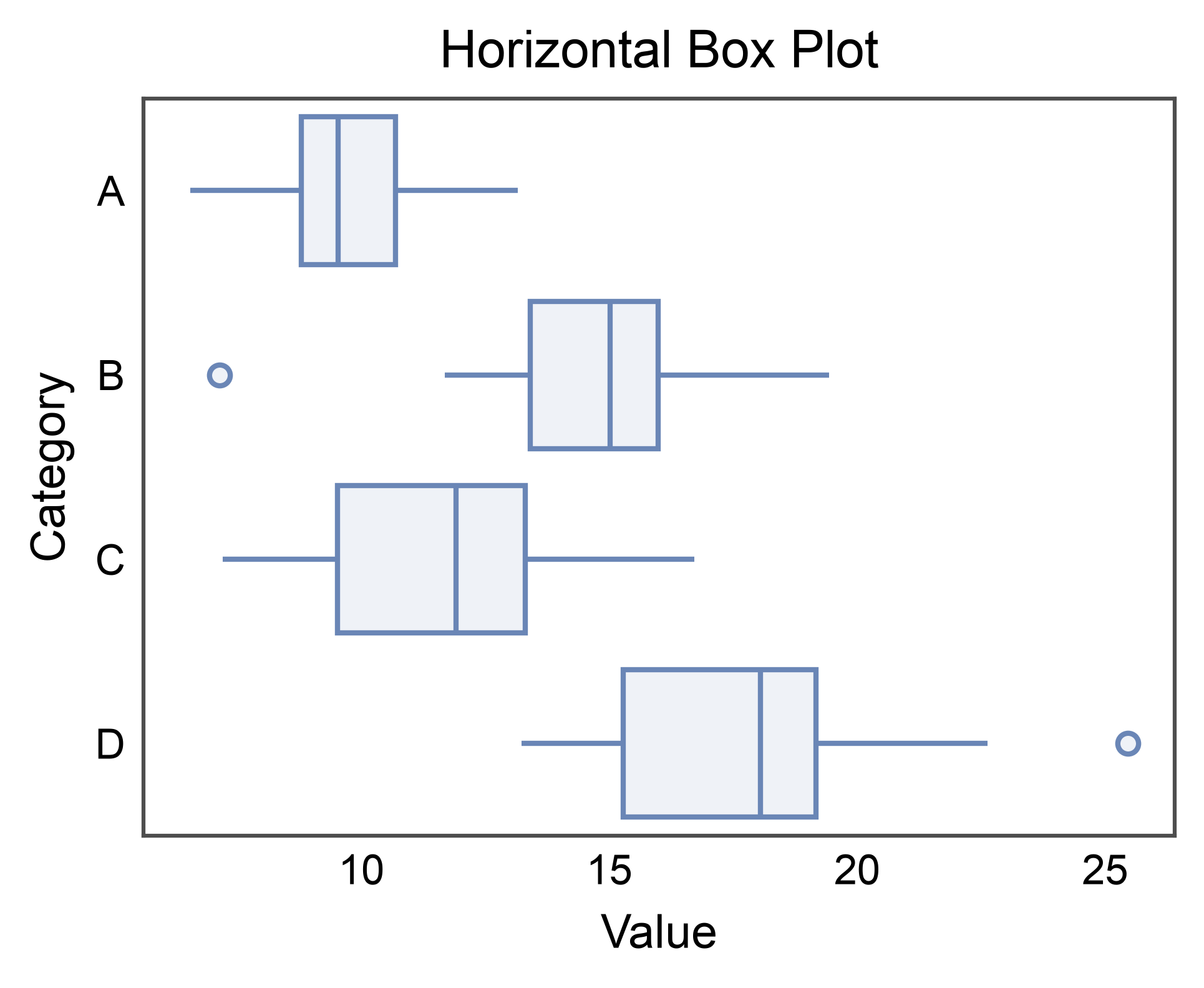
Create horizontal box plots by swapping x and y.
ax = pp.boxplot(
    data=box_data[box_data['group'] == 'Group 1'],
    x='value',
    y='category',
    title='Horizontal Box Plot',
    xlabel='Value',
    ylabel='Category',
)
pp.show()
Univariate (1D) Box Plot#
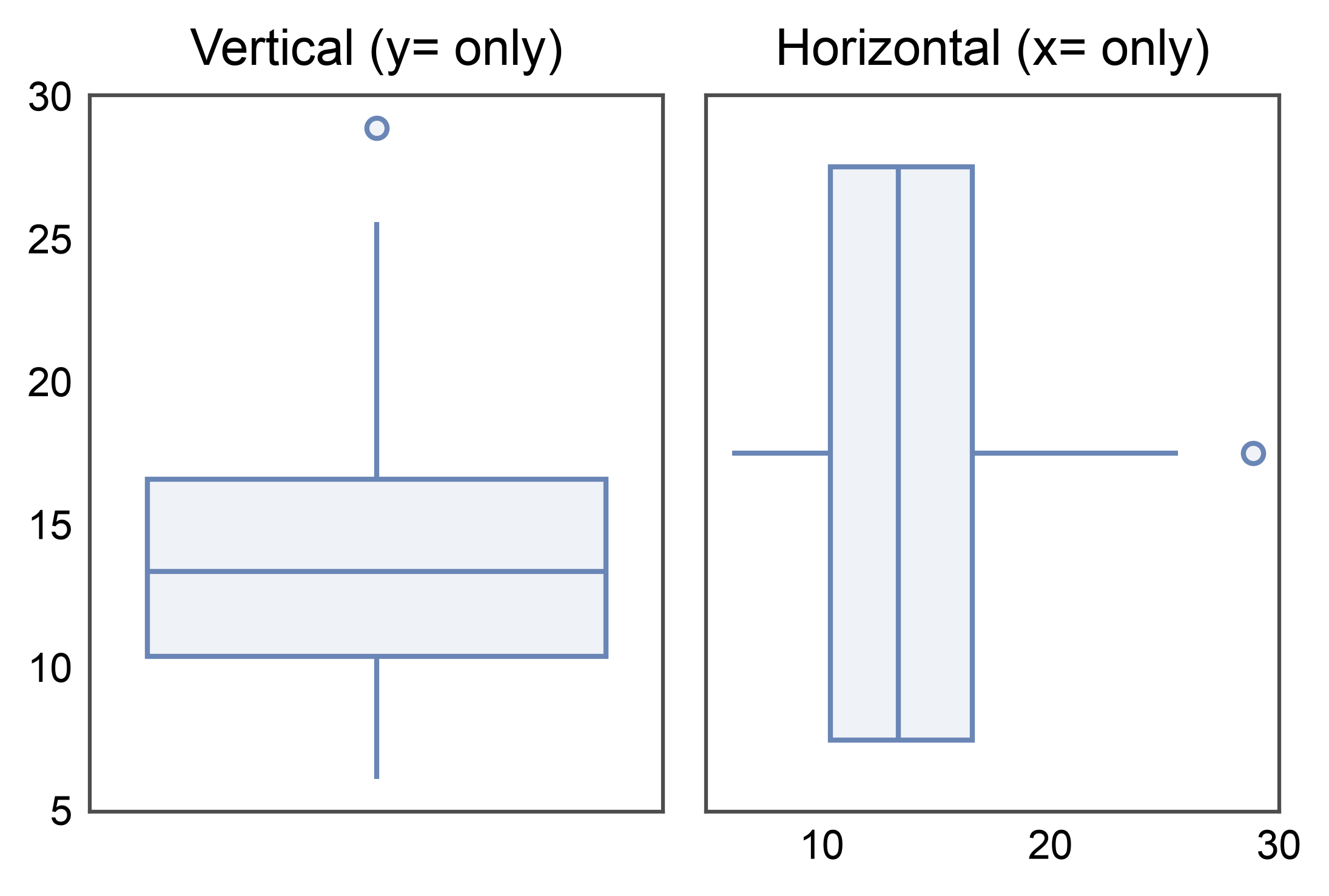
Pass only x= or only y= to summarize a single distribution.
A constant categorical axis is synthesized internally so all 2D
features (hue=, annotate=, alpha, border_radius)
remain available. The synthetic axis ticks and spine are hidden so
the result reads cleanly as a single-distribution summary. This is
the form used by pp.JointGrid.plot_marginals() to put boxes on
the marginal panels of a joint plot.
fig, axes = pp.subplots(1, 2, axes_size=(40, 50))
pp.boxplot(data=box_data, y='value', ax=axes[0], title='Vertical (y= only)')
pp.boxplot(data=box_data, x='value', ax=axes[1], title='Horizontal (x= only)')
pp.show()
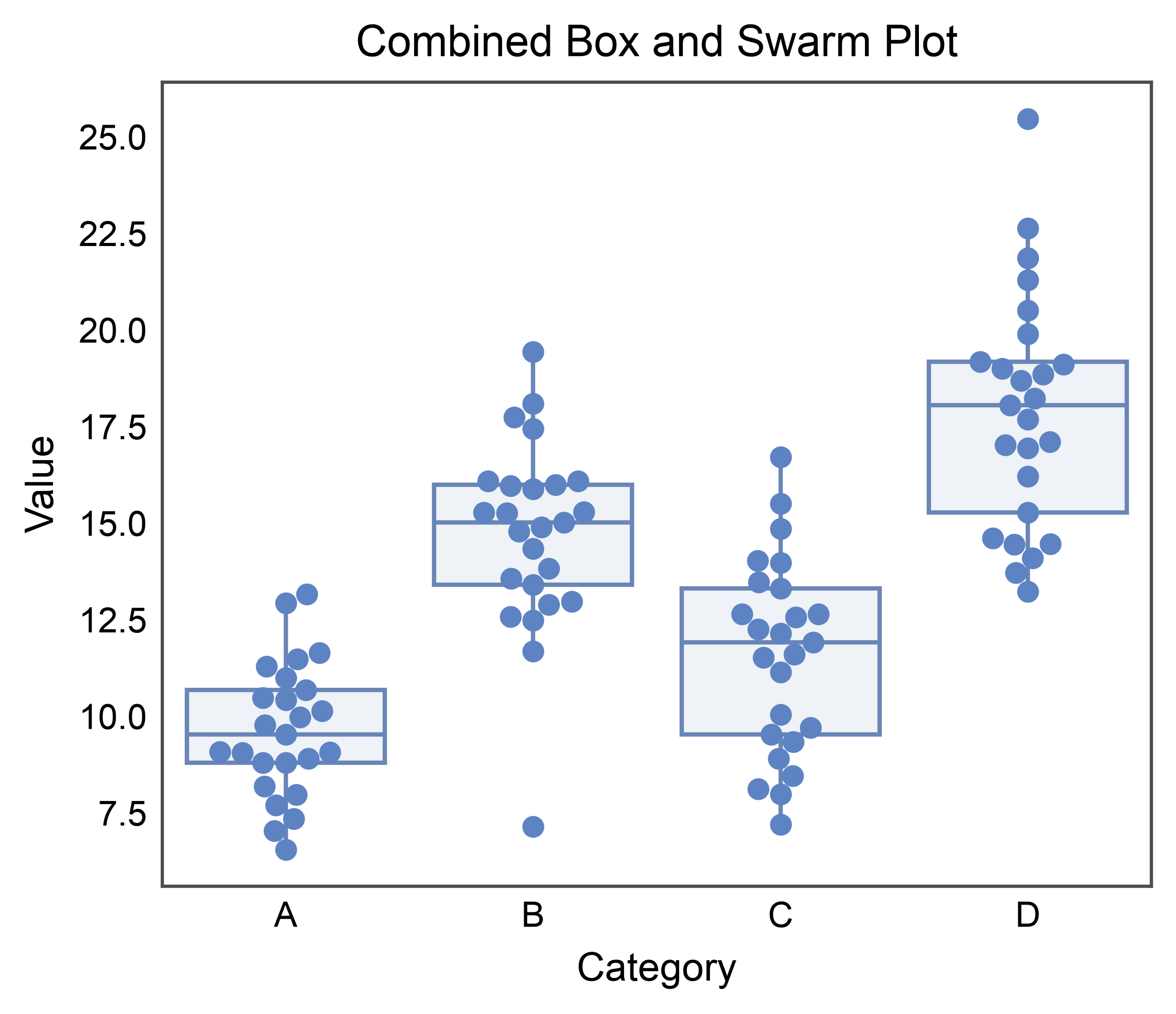
Combined Box and Swarm Plot#
Overlay swarm plot on box plot to show both summary statistics and individual data points.
fig, ax = pp.subplots(axes_size=(80, 65))

# First, create the box plot
pp.boxplot(
    data=box_data[box_data['group'] == 'Group 1'],
    x='category',
    y='value',
    ax=ax,
    showfliers=False,
)

# Then overlay the swarm plot
pp.swarmplot(
    data=box_data[box_data['group'] == 'Group 1'],
    x='category',
    y='value',
    ax=ax,
    alpha=1,
    legend=False,
)

ax.set_title('Combined Box and Swarm Plot')
ax.set_xlabel('Category')
ax.set_ylabel('Value')
pp.show()
Customization#
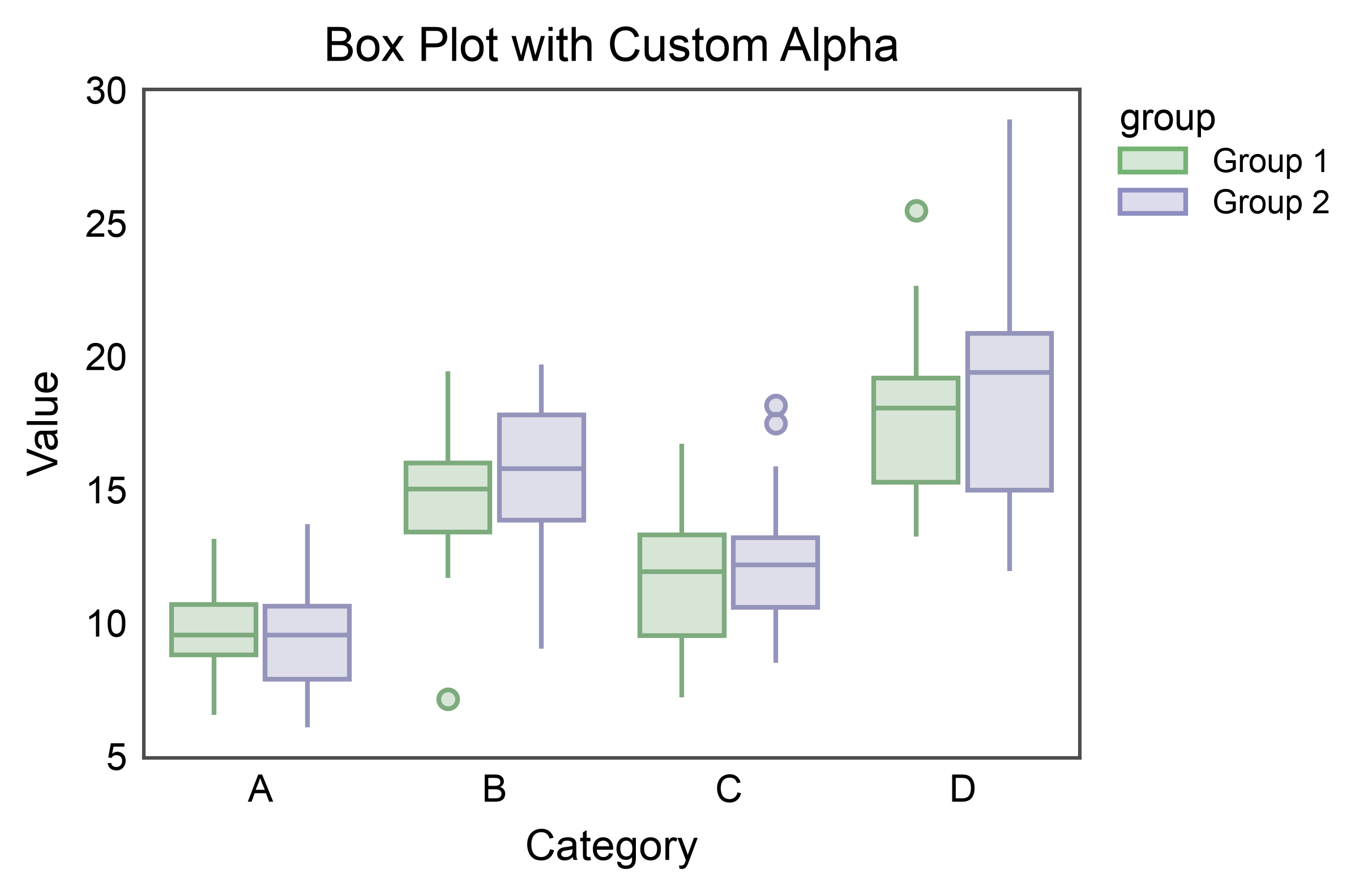
Box Plot with Custom Alpha#
Adjust transparency of box fill.
ax = pp.boxplot(
    data=box_data,
    x='category',
    y='value',
    hue='group',
    gap=0.1,
    title='Box Plot with Custom Alpha',
    xlabel='Category',
    ylabel='Value',
    alpha=0.3,
)
pp.show()
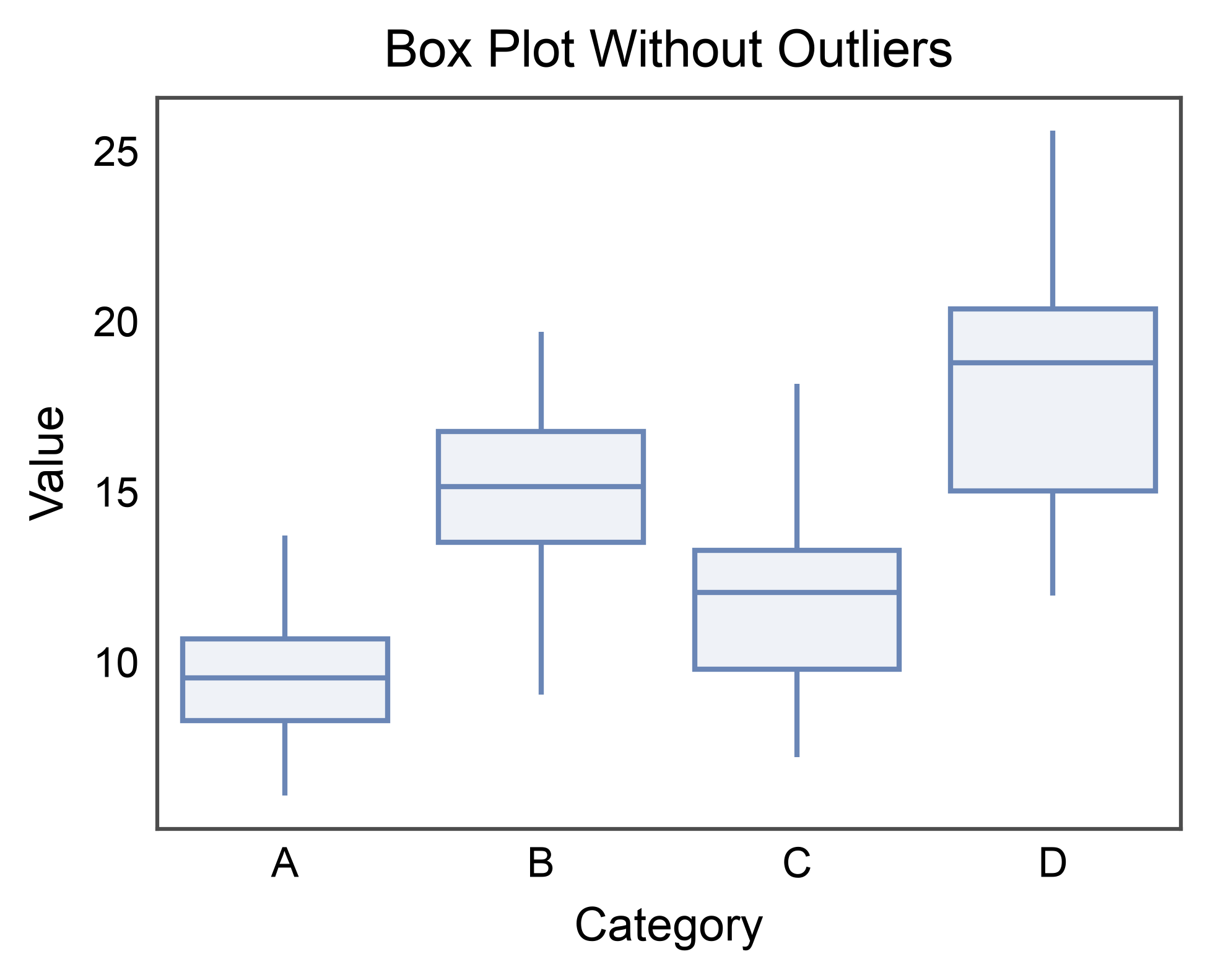
Box Plot Without Outliers#
Hide outliers when you plan to overlay with swarm plot.
ax = pp.boxplot(
    data=box_data,
    x='category',
    y='value',
    showfliers=False,
    title='Box Plot Without Outliers',
    xlabel='Category',
    ylabel='Value',
)
pp.show()
Annotated box stats#
annotate=True labels the median by default. Pass
stats=["median", "q1", "q3", ...] to label multiple statistics per
box. See the dedicated annotations gallery
for the full option set.
ax = pp.boxplot(
    data=box_data,
    x='category', y='value',
    annotate={"stats": ["median", "q1", "q3"], "fmt": ".1f"},
    title="annotate={'stats': ['median', 'q1', 'q3']}",
)
pp.show()
![annotate={'stats': ['median', 'q1', 'q3']}](../_images/sphx_glr_plot_14_box_plots_008.png)
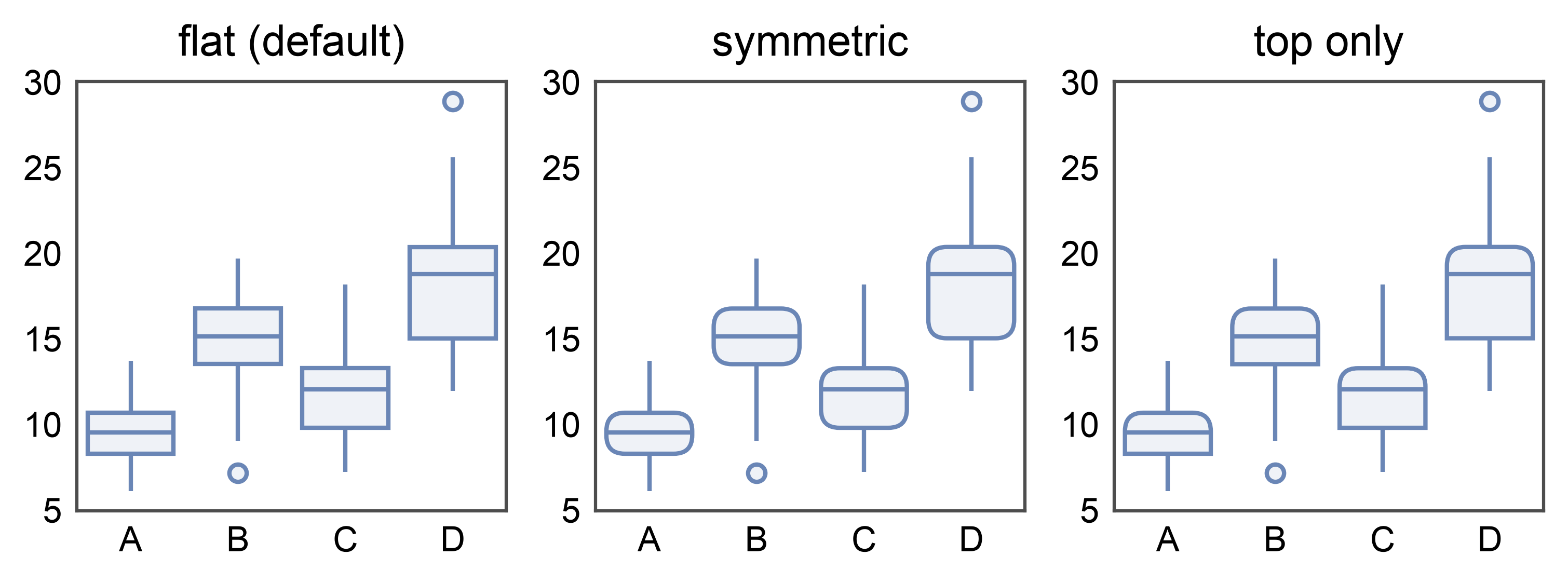
Rounded boxes — border_radius#
New in 0.10.6: pp.boxplot(..., border_radius=1.5) rounds all four
corners of the IQR box. Units are millimeters (print-consistent,
independent of the data-axis range). Pass a 2-tuple to round top and
bottom independently — border_radius=(1.5, 0) keeps the Q1 edge
square, useful when the box is visually paired with a density cloud
(e.g. inside publiplots.raincloudplot()).
fig, axes = pp.subplots(1, 3, axes_size=(35, 35))
pp.boxplot(data=box_data, x='category', y='value',
           ax=axes[0], title='flat (default)')
pp.boxplot(data=box_data, x='category', y='value',
           ax=axes[1], border_radius=1.5, title='symmetric')
pp.boxplot(data=box_data, x='category', y='value',
           ax=axes[2], border_radius=(1.5, 0), title='top only')
pp.show()
Total running time of the script: (0 minutes 3.708 seconds)