Note
Go to the end to download the full example code.
Line Plot Examples#
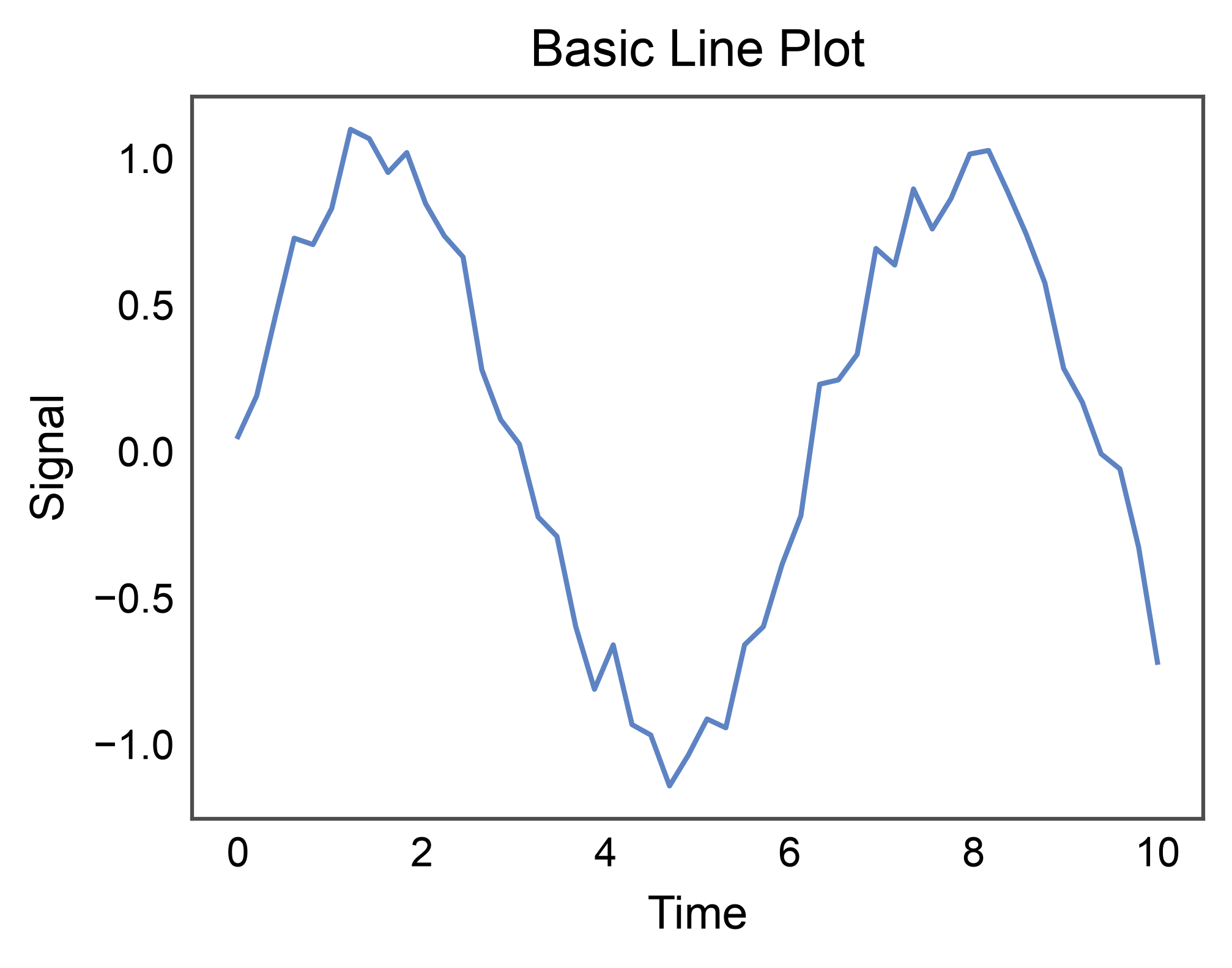
This example demonstrates line plot functionality in PubliPlots, built on top of seaborn’s lineplot. Line plots are ideal for visualizing trends over a continuous independent variable (time series, dose-response, learning curves) with optional aggregation, error bands, and multi-group comparisons.
import publiplots as pp
import pandas as pd
import numpy as np
Basic Line Plot#
Simplest case: one series, continuous x.
np.random.seed(42)
t = np.linspace(0, 10, 50)
signal = pd.DataFrame({
    "time": t,
    "value": np.sin(t) + np.random.normal(0, 0.1, len(t)),
})

ax = pp.lineplot(
    data=signal,
    x="time",
    y="value",
    title="Basic Line Plot",
    xlabel="Time",
    ylabel="Signal",
)
pp.show()
Line Plot with Hue (multi-series)#
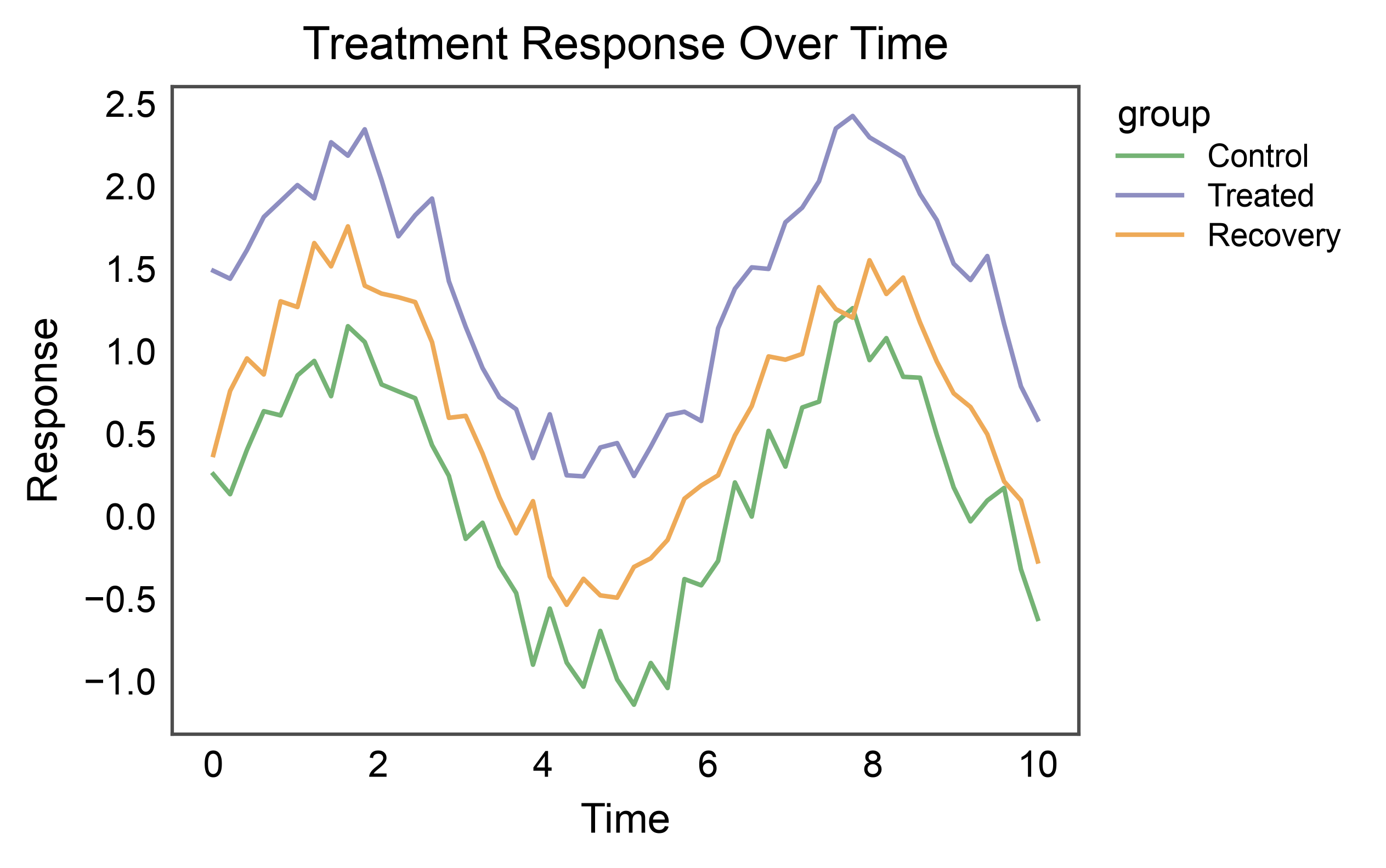
Group by a categorical variable to draw one line per group.
np.random.seed(7)
rows = []
for group, offset in [("Control", 0.0), ("Treated", 1.2), ("Recovery", 0.5)]:
    for tt in t:
        rows.append({"time": tt, "value": np.sin(tt) + offset +
                     np.random.normal(0, 0.15), "group": group})
multi = pd.DataFrame(rows)

ax = pp.lineplot(
    data=multi,
    x="time",
    y="value",
    hue="group",
    palette="pastel",
    title="Treatment Response Over Time",
    xlabel="Time",
    ylabel="Response",
)
pp.show()
Aggregation with Error Band#
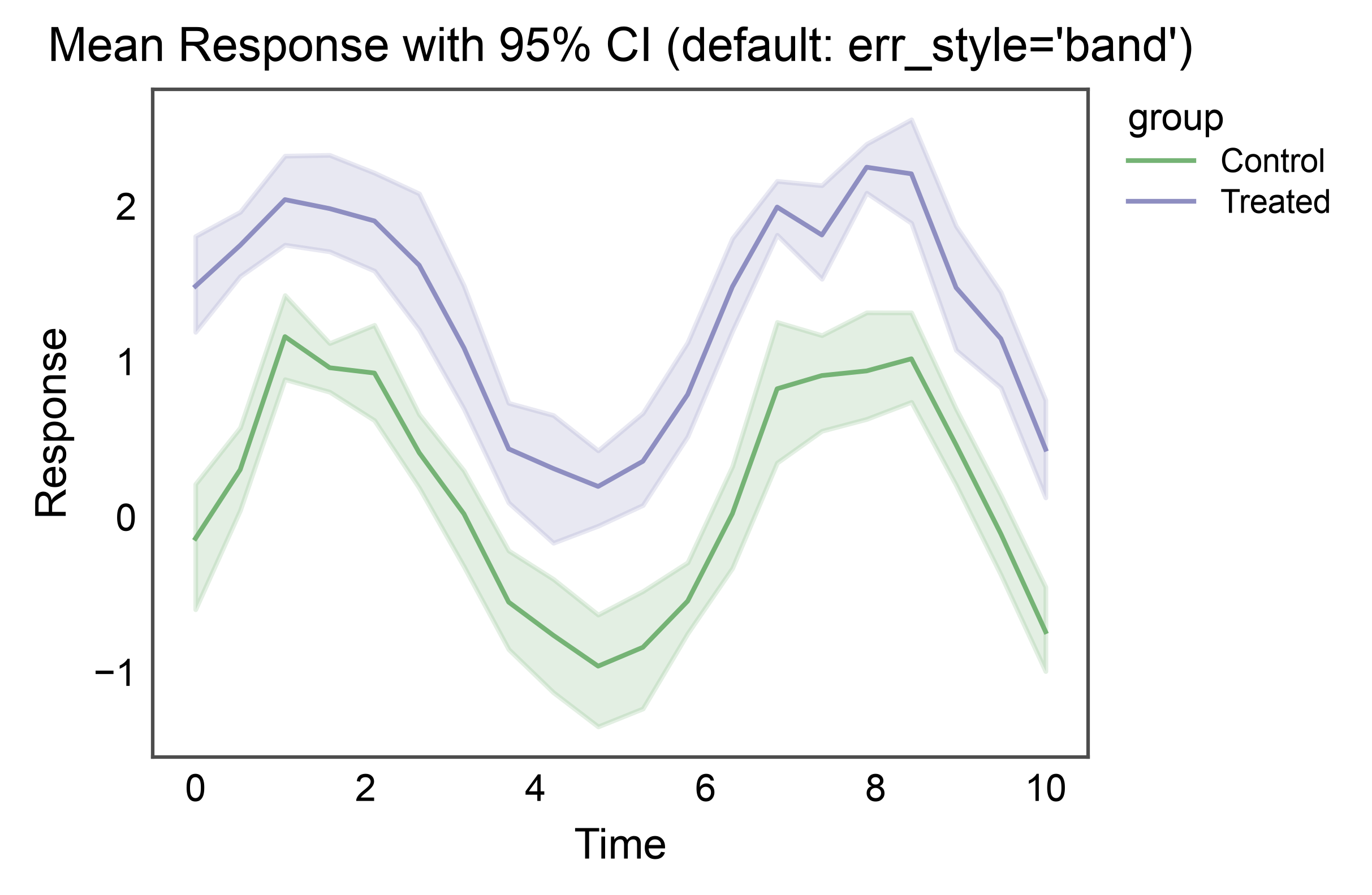
When multiple y observations exist per x, lineplot aggregates (mean by default) and draws a shaded confidence interval band.
np.random.seed(11)
rows = []
for group, offset in [("Control", 0.0), ("Treated", 1.2)]:
    for tt in np.linspace(0, 10, 20):
        for _ in range(8):  # 8 replicates per time point
            rows.append({"time": tt, "value": np.sin(tt) + offset +
                         np.random.normal(0, 0.5), "group": group})
replicates = pd.DataFrame(rows)

ax = pp.lineplot(
    data=replicates,
    x="time",
    y="value",
    hue="group",
    palette="pastel",
    errorbar=("ci", 95),
    title="Mean Response with 95% CI (default: err_style='band')",
    xlabel="Time",
    ylabel="Response",
)
pp.show()
Error Bars Instead of Band#
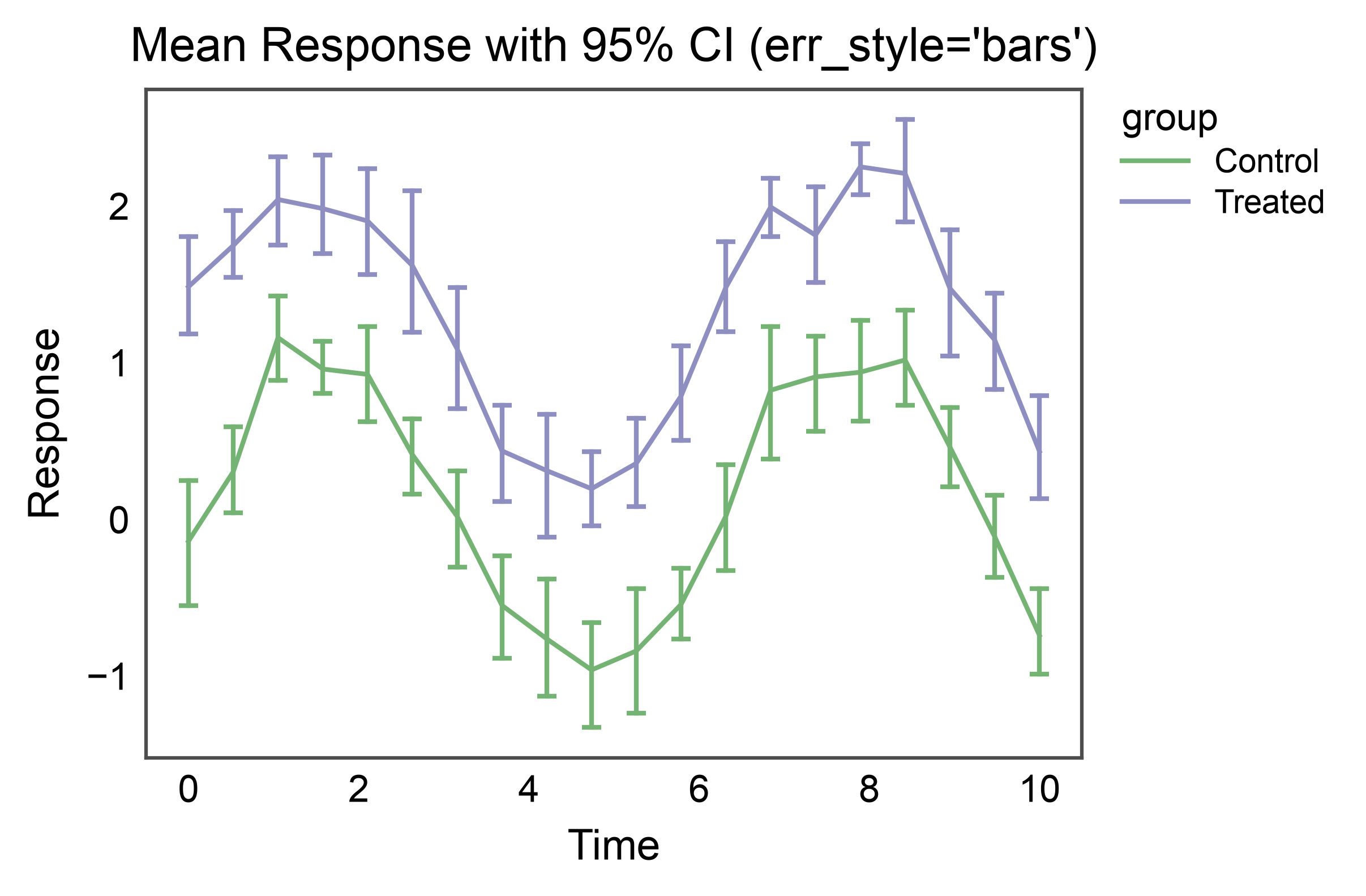
Switch to discrete error bars at each aggregated point with
err_style="bars".
ax = pp.lineplot(
    data=replicates,
    x="time",
    y="value",
    hue="group",
    palette="pastel",
    errorbar=("ci", 95),
    err_style="bars",
    err_kws={"capsize": 3},
    title="Mean Response with 95% CI (err_style='bars')",
    xlabel="Time",
    ylabel="Response",
)
pp.show()
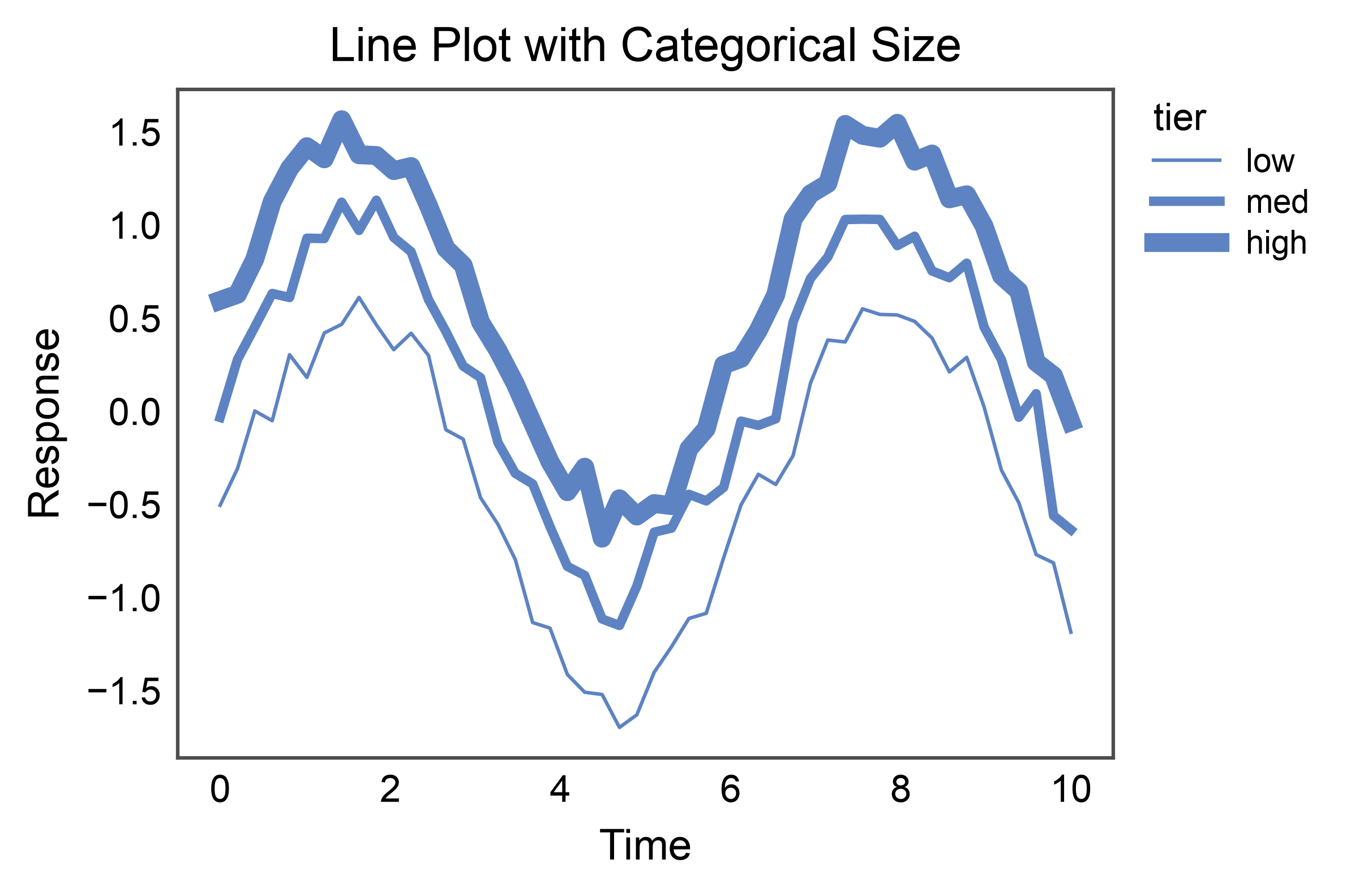
Categorical Size (line width per group)#
size= accepts a categorical column too. Pass an explicit
sizes={category: linewidth} to control the width per category, or
let publiplots interpolate between the default (1.0, 4.0). The
legend shows one line swatch per category at its assigned width.
np.random.seed(21)
rows = []
for tier, offset in [("low", -0.5), ("med", 0.0), ("high", 0.5)]:
    for tt in t:
        rows.append({"time": tt, "value": np.sin(tt) + offset +
                     np.random.normal(0, 0.1), "tier": tier})
tiered = pd.DataFrame(rows)

ax = pp.lineplot(
    data=tiered,
    x="time",
    y="value",
    size="tier",
    sizes={"low": 0.75, "med": 2.0, "high": 4.0},
    title="Line Plot with Categorical Size",
    xlabel="Time",
    ylabel="Response",
)
pp.show()
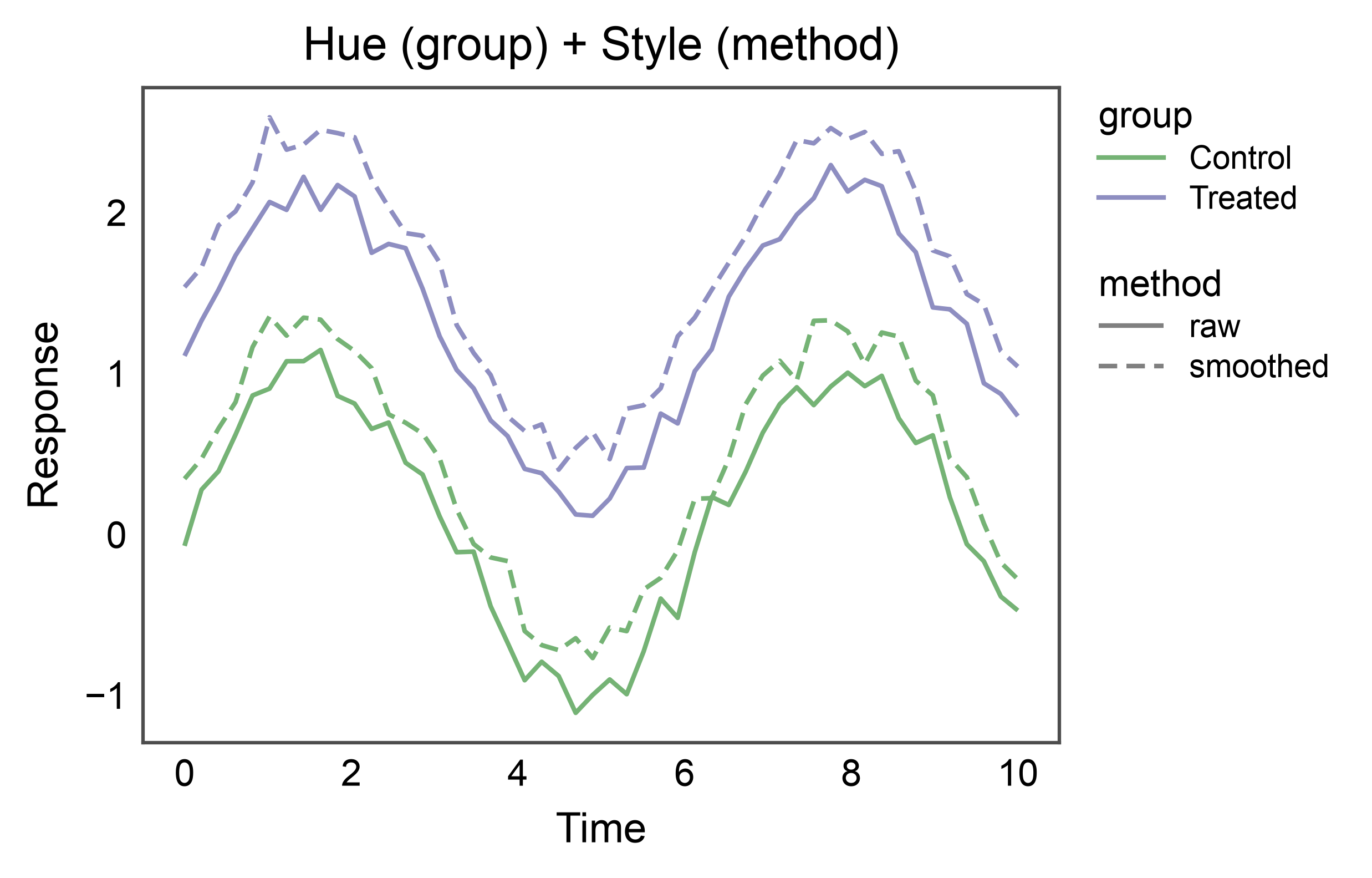
Hue + Style on Different Variables#
hue= and style= become especially useful when they map to
different columns — e.g., color encodes the treatment group, dash
pattern encodes the measurement modality. Two legends rendered
side-by-side: one for color, one for pattern.
np.random.seed(13)
rows = []
for group, offset in [("Control", 0.0), ("Treated", 1.2)]:
    for method, jitter in [("raw", 0.0), ("smoothed", 0.3)]:
        for tt in t:
            rows.append({"time": tt, "value": np.sin(tt) + offset + jitter +
                         np.random.normal(0, 0.1), "group": group,
                         "method": method})
two_vars = pd.DataFrame(rows)

ax = pp.lineplot(
    data=two_vars,
    x="time",
    y="value",
    hue="group",
    style="method",
    palette="pastel",
    dashes={"raw": (1, 0), "smoothed": (4, 2)},
    title="Hue (group) + Style (method)",
    xlabel="Time",
    ylabel="Response",
)
pp.show()
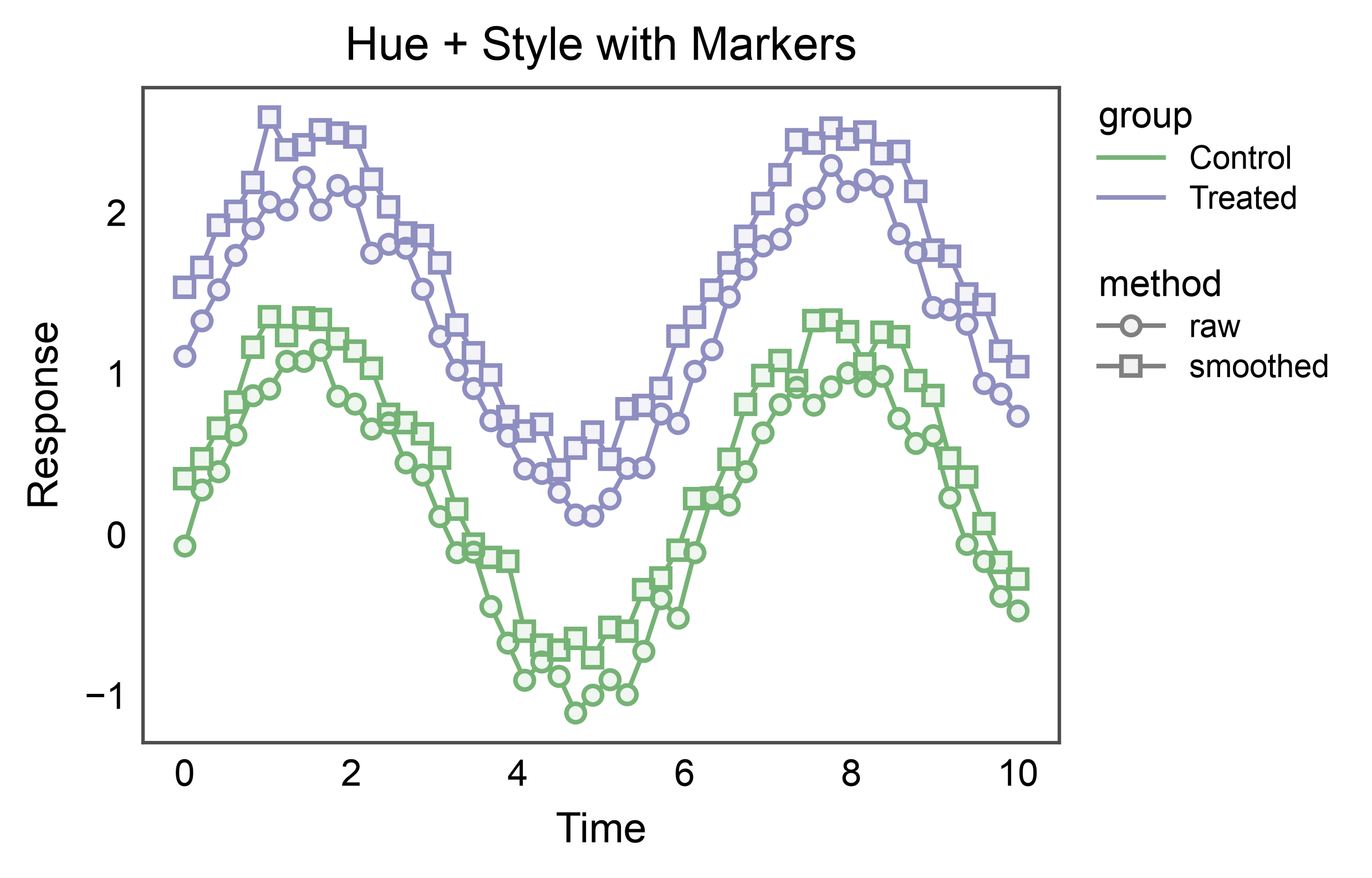
Markers on Aggregated Points#
markers=True draws a marker at each aggregated x position —
useful to emphasise discrete observations on top of the trend line.
publiplots styles markers with the same double-layer convention as
pp.pointplot: a semi-transparent fill over a solid colored ring,
so the fill reads the group color without hiding the connecting
line. edgecolor= overrides the ring color if you want a neutral
outline for high-density plots.
ax = pp.lineplot(
    data=two_vars,
    x="time",
    y="value",
    hue="group",
    style="method",
    palette="pastel",
    markers=True,
    dashes=False,
    title="Hue + Style with Markers",
    xlabel="Time",
    ylabel="Response",
)
pp.show()
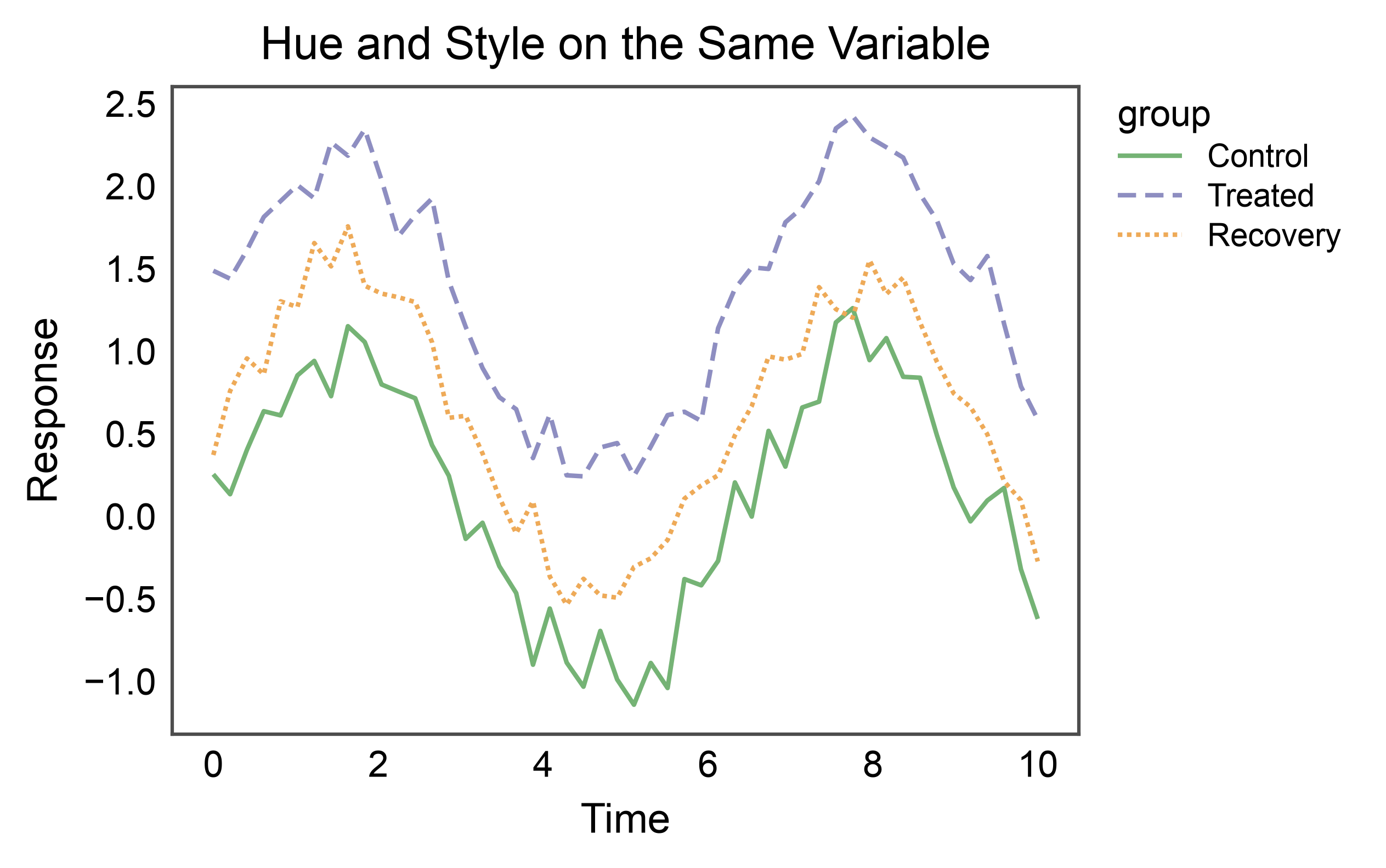
Hue and Style on the Same Variable#
When hue= and style= map to the same column, publiplots
merges them into a single legend whose swatches encode both
dimensions at once — the colored, dashed line matches how the series
actually appears on the plot. Handy when a single categorical
variable is the organising axis of the figure.
ax = pp.lineplot(
    data=multi,
    x="time",
    y="value",
    hue="group",
    style="group",
    palette="pastel",
    dashes={"Control": (1, 0), "Treated": (4, 2), "Recovery": (1, 1)},
    title="Hue and Style on the Same Variable",
    xlabel="Time",
    ylabel="Response",
)
pp.show()
Shared Legend Across Subplots#
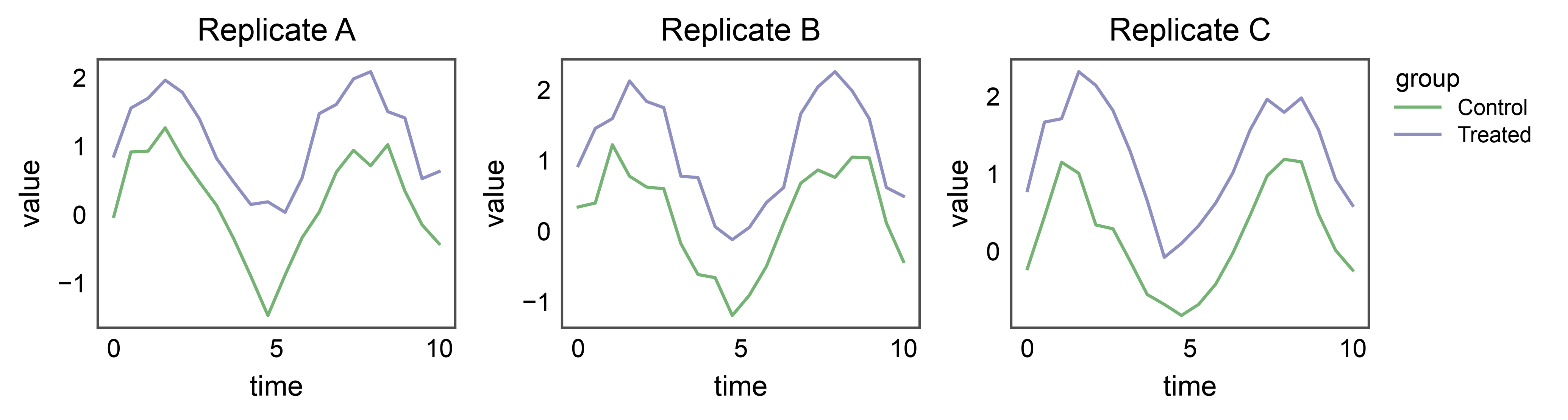
When several line plots share the same hue variable, attach
pp.legend(anchor=...) before drawing. Each lineplot
stashes its hue entry on the corresponding axes; the group collects
them and renders one unified legend on the right.
np.random.seed(99)
rows = []
for panel in ["Replicate A", "Replicate B", "Replicate C"]:
    for group, offset in [("Control", 0.0), ("Treated", 1.0)]:
        for tt in np.linspace(0, 10, 20):
            rows.append({"panel": panel, "time": tt,
                         "value": np.sin(tt) + offset + np.random.normal(0, 0.2),
                         "group": group})
shared = pd.DataFrame(rows)

fig, axes = pp.subplots(1, 3, axes_size=(40, 30))
pp.legend(anchor=axes[-1])
for ax, panel in zip(axes, ["Replicate A", "Replicate B", "Replicate C"]):
    pp.lineplot(
        data=shared[shared["panel"] == panel],
        x="time",
        y="value",
        hue="group",
        palette="pastel",
        title=panel,
        ax=ax,
    )
pp.show()
Smooth Line with Precomputed CI Band#
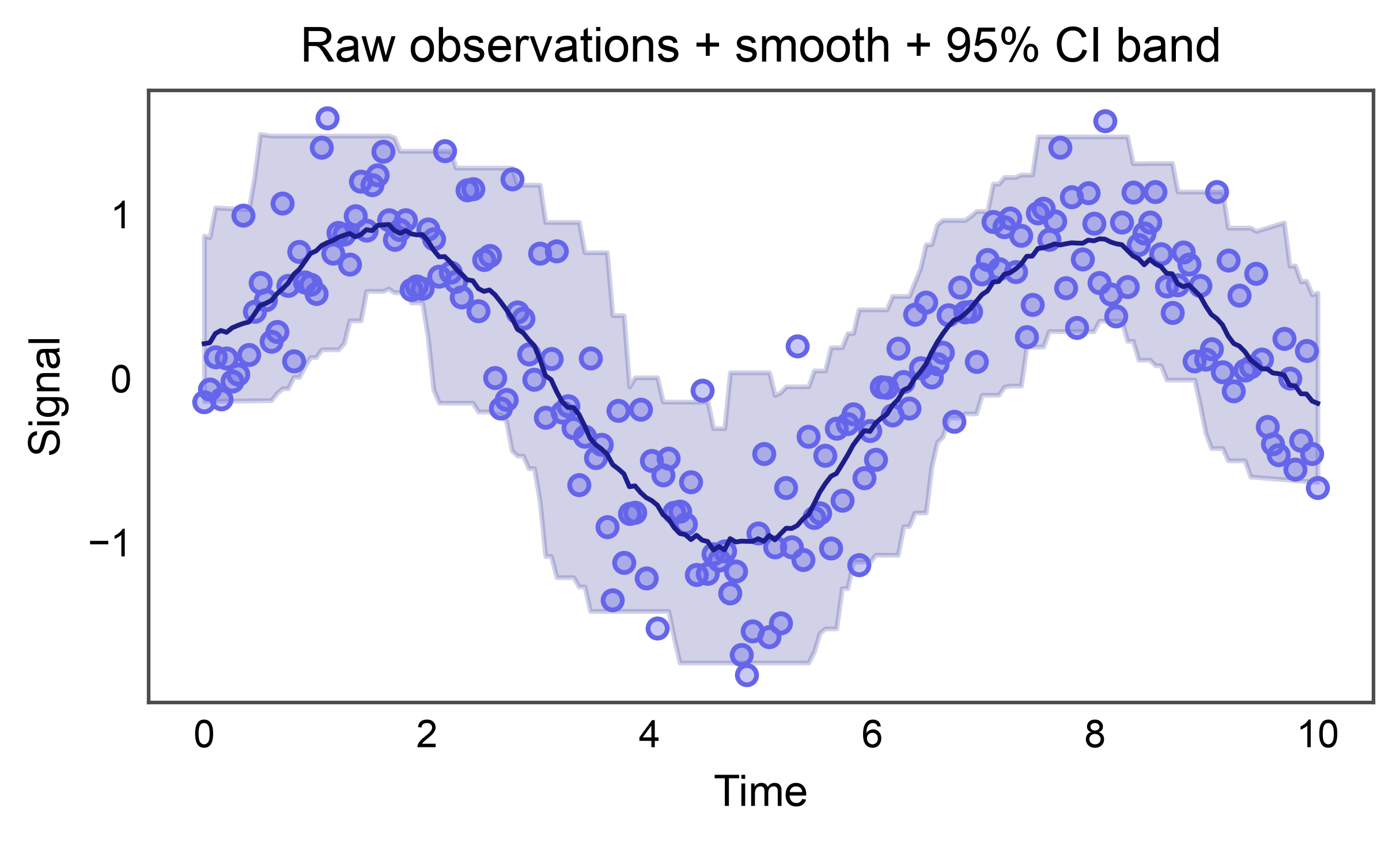
errorbar=('custom', (lo_col, hi_col)) accepts precomputed lower
and upper bounds — e.g. from a LOESS bootstrap, a GAM fit, or a
Bayesian posterior — and renders them as a shaded band. No manual
ax.fill_between call per group needed. A full “raw scatter +
smooth line + CI band” panel now composes as two native pp.*
calls.
Here we synthesize a noisy sine wave, fit a rolling-mean smoother, and take a rolling 2.5%/97.5% percentile envelope as a stand-in for a bootstrap CI (keeping the example dependency-free — numpy only).
np.random.seed(31)
x = np.linspace(0, 10, 200)
y_raw = np.sin(x) + np.random.normal(0, 0.35, size=x.size)
raw_df = pd.DataFrame({"time": x, "value": y_raw})

window = 25
rolled = raw_df["value"].rolling(window, center=True, min_periods=1)
smooth_df = pd.DataFrame({
    "time": x,
    "value": rolled.mean().to_numpy(),
    "lo": rolled.quantile(0.025).to_numpy(),
    "hi": rolled.quantile(0.975).to_numpy(),
})

fig, ax = pp.subplots(axes_size=(90, 45))
pp.scatterplot(
    data=raw_df, x="time", y="value",
    color="#6565eb", alpha=0.35, ax=ax,
)
pp.lineplot(
    data=smooth_df, x="time", y="value",
    errorbar=("custom", ("lo", "hi")),
    err_style="band", color="#1d1d8a",
    title="Raw observations + smooth + 95% CI band",
    xlabel="Time",
    ylabel="Signal",
    ax=ax,
)
pp.show()
Total running time of the script: (0 minutes 6.972 seconds)